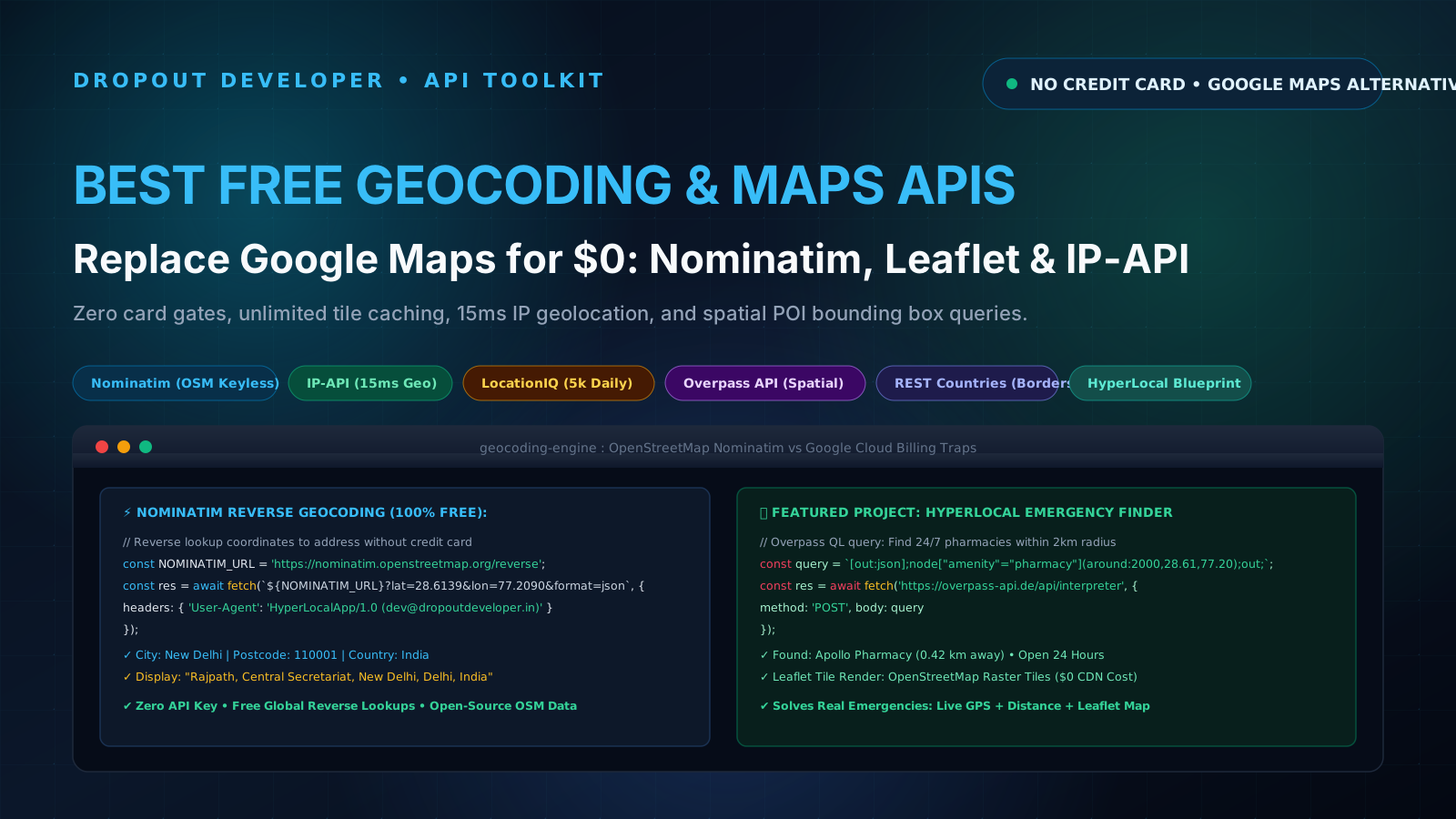
The Credit Card Trap: Google Maps Platform vs. Tier-3 Reality
Every developer who attempts to build a real-world location app hits the same wall. You want to build a delivery tracker, a real estate finder, or an emergency hospital directory for your hometown. You search Google for "how to add a map to React", and every single tutorial tells you to open the Google Cloud Console, enable the Google Maps JavaScript API, and generate an API key.
Then comes the shock: Google demands your credit card details before you can see a single pixel. If you are a college student in India, you probably do not even own an international credit card. Most domestic Rupay debit cards get rejected instantly.
Even if you borrow a card from an older cousin or parent, the financial risk is terrifying. Google Maps Platform charges $5.00 per 1,000 Geocoding requests and $7.00 per 1,000 Dynamic Map loads. If your React component has an accidental infinite loop inside a useEffect hook, or your side project gets shared on Reddit or LinkedIn, your account can rack up a $400 bill in a single afternoon. When you are studying on an 8GB RAM laptop or working through a 3.5 LPA mass-recruiter bond, an unexpected ₹35,000 charge is catastrophic. That is four months of rent and food gone.
Here is what the corporate tutorials never tell you: you do not need Google Maps. The global open-source community runs an entire planetary geospatial network that is open, fast, and completely free. By pairing OpenStreetMap with free public APIs and Leaflet.js, you can build production-ready mapping applications for exactly $0.
1. Nominatim (OpenStreetMap): Keyless Global Geocoding and Polygon Boundaries
Nominatim is the official search engine for OpenStreetMap. It converts human-readable street addresses into geographic coordinates (forward geocoding) and translates latitude and longitude back into structured addresses (reverse geocoding). Best of all, it requires zero API keys and zero credit cards.
How Forward Geocoding Works
To find the exact coordinates of any landmark or neighborhood, you send a standard GET request to Nominatim with a search query:
curl "https://nominatim.openstreetmap.org/search?q=Connaught+Place+New+Delhi&format=json&limit=1" \
  -H "User-Agent: MyCoolApp/1.0 (contact@dropoutdeveloper.in)"
Nominatim returns a structured JSON payload containing the display name, bounding box coordinates, latitude, longitude, and importance score:
[
  {
    "place_id": 287419230,
    "licence": "Data © OpenStreetMap contributors, ODbL 1.0",
    "osm_type": "node",
    "osm_id": 245638129,
    "lat": "28.6315",
    "lon": "77.2167",
    "display_name": "Connaught Place, New Delhi, Delhi, 110001, India",
    "type": "commercial",
    "importance": 0.625
  }
]
The Golden Rule of Nominatim: The User-Agent Header
Because Nominatim is maintained by community donations and volunteers, their usage policy enforces one strict technical rule: every single request must include a custom User-Agent header identifying your application and contact information. If you use generic fetch headers or axios defaults from your browser, their Cloudflare edge returns an instant HTTP 403 Forbidden.
Their server also enforces an absolute rate limit of 1 request per second. If you need to search multiple addresses, you must throttle your requests or store the results in a local database cache like SQLite or Redis.
2. IP-API: 15ms Keyless Geolocation for Automatic User Coordinates
When a visitor lands on your mapping application, asking for browser GPS permissions immediately with navigator.geolocation.getCurrentPosition() is a terrible user experience. Over 60% of web users click "Block" or "Dismiss" on location permission popups because they assume the site is tracking them.
IP-API solves this friction by providing instant IP-based geolocation. In roughly 15 milliseconds, it inspects the client IP address and returns their latitude, longitude, city, region, ISP, and timezone without triggering a single browser permission prompt.
Querying IP-API
// Fetch approximate location without asking for browser GPS permissions
const res = await fetch('http://ip-api.com/json/');
const data = await res.json();

console.log(data);
// Output:
// {
//   status: 'success',
//   country: 'India',
//   city: 'Bengaluru',
//   regionName: 'Karnataka',
//   lat: 12.9716,
//   lon: 77.5946,
//   timezone: 'Asia/Kolkata',
//   isp: 'Jio Infocomm Ltd'
// }
Rate Limits and HTTPS Notice
The free tier of IP-API allows up to 45 requests per minute from a single IP address, which is plenty for local development and portfolio showcases. However, notice the endpoint protocol: the free endpoint runs over plain http://. If your production web app runs on HTTPS (such as Vercel, Netlify, or your own domain), the browser will block direct client-side calls due to mixed content security rules.
The fix is simple: call IP-API from your own backend proxy route (such as a Node.js Express server or a Next.js serverless route), which forwards the user IP and returns the coordinates over HTTPS. For a detailed breakdown of solving browser network walls, check our guide on how to fix CORS errors when calling public APIs.
3. LocationIQ: High-Speed Address Autocomplete and 5,000 Free Requests Daily
Nominatim is fantastic for single address lookups, but its 1 request per second rate limit makes it unsuitable for instant typing autocomplete in search inputs. When a user types "Apollo Ph...", their fingers produce five keystrokes in half a second. Sending all of those to Nominatim will get your IP temporarily banned.
LocationIQ bridges this gap. They take OpenStreetMap data, host it across enterprise high-speed clusters, and provide a dedicated autocomplete search endpoint with fuzzy matching and typo tolerance.
Key Developer Features
- Generous Free Allowance: 5,000 requests per day at up to 2 requests per second burst speed.
- Fuzzy Search: Automatically corrects minor typos and returns street-level suggestions in under 50 milliseconds.
- Simple API Key: Requires a free developer account, but no credit card is ever requested for the free tier.
// Fast debounced autocomplete search with LocationIQ
async function searchAddressAutocomplete(query, apiKey) {
  const url = new URL('https://api.locationiq.com/v1/autocomplete');
  url.searchParams.set('key', apiKey);
  url.searchParams.set('q', query);
  url.searchParams.set('limit', '5');
  url.searchParams.set('countrycodes', 'in'); // Restrict results to India

  const response = await fetch(url.toString());
  if (!response.ok) {
    throw new Error('Autocomplete failed with status: ' + response.status);
  }
  return await response.json();
}
4. Overpass API (OpenStreetMap): Spatial POI Queries for Emergency Services
Most novice developers think mapping APIs can only show an address pin on a screen. But what if your application needs to answer real spatial questions, such as: "Show me all 24/7 pharmacies within 2 kilometers of the user's current GPS location"?
Google Places API charges $17.00 to $32.00 per 1,000 requests for place details and nearby searches. Overpass API, by contrast, gives you direct, unfiltered access to every node, way, and relation in the entire OpenStreetMap global database for zero dollars.
Querying Overpass with Overpass QL
Overpass uses a lightweight query language called Overpass QL. You specify the geographic bounding area (or a radial distance in meters around a coordinate) and filter by OpenStreetMap amenity tags:
// Query 24/7 pharmacies and hospitals within 2,500 meters of coordinates
async function fetchNearbyEmergencyServices(lat, lon, radiusMeters = 2500) {
  const query = `
    [out:json][timeout:25];
    (
      node["amenity"="pharmacy"](around:${radiusMeters},${lat},${lon});
      node["amenity"="hospital"](around:${radiusMeters},${lat},${lon});
    );
    out body;
  `;

  const response = await fetch('https://overpass-api.de/api/interpreter', {
    method: 'POST',
    headers: { 'Content-Type': 'application/x-www-form-urlencoded' },
    body: 'data=' + encodeURIComponent(query)
  });

  if (!response.ok) {
    throw new Error('Overpass API error: ' + response.status);
  }

  const data = await response.json();
  return data.elements.map(el => ({
    id: el.id,
    lat: el.lat,
    lon: el.lon,
    name: el.tags.name || 'Unnamed Emergency Medical Facility',
    type: el.tags.amenity,
    openingHours: el.tags.opening_hours || 'Not specified'
  }));
}
With this single free query, your app can populate an interactive map with every verified clinic, hospital, and medical store in the neighborhood. That is the kind of practical, real-world utility that turns an ordinary portfolio into a job offer magnet.
5. REST Countries: Free Border Geometries, Capitals, and Spatial Relations
When designing regional filters, international currency converters, or distance matrix estimators, you often need metadata about countries: international dialing codes, capital city coordinates, geographic bounding areas, and land border neighbors.
REST Countries provides clean, structured geographical intelligence for 250 sovereign nations and territories without requiring an API key. For instance, querying India (https://restcountries.com/v3.1/alpha/in) returns its geographic center, capital (New Delhi at [28.6, 77.2]), timezones, and land border codes: ["BGD", "BTN", "CHN", "MMR", "NPL", "PAK"].
If you want to discover even more completely free endpoints that require no sign-up forms, explore our curated catalog of free public APIs that require no API key.
Feature Comparison Matrix: The $0 Geocoding and Mapping Stack
Here is how the five free geolocation tools stack up across authentication, rate limits, geocoding capabilities, and real-world project fits:
| Service | Auth Method | Free Limit | Reverse Geocoding | Autocomplete | Best Project Fit |
|---|---|---|---|---|---|
| Nominatim (OSM) | Zero Key (Needs User-Agent) | 1 request / sec | Yes (Full details) | Basic prefix | Address verification, order checkout coordinates |
| IP-API | Zero Key (Keyless) | 45 requests / min | City / Region level | No | Instant initial map center, user locale detection |
| LocationIQ | API Key (Free Tier) | 5,000 calls / day | Yes (Sub-second) | Yes (Fuzzy search) | Live search input bars, interactive address forms |
| Overpass API | Zero Key (Keyless) | Community fair use | Spatial node query | No | Emergency service finders, EV chargers, park maps |
| REST Countries | Zero Key (Keyless) | Unlimited fair use | Country centroids | No | Cross-border shipping, tax regions, country selectors |
Production Project Blueprint: "HyperLocal" Zero-Cost Emergency Services Finder
If you want to stand out to engineering hiring managers, you have to stop building generic Todo apps and weather widgets that only display static cards. If you want proof of why recruiters skip those projects, read our breakdown on why you should stop building todo apps and use free public APIs.
Instead, let us design a complete, production-grade application: HyperLocal. HyperLocal is an emergency neighborhood locator that identifies where you are, renders an interactive OpenStreetMap view, and pins every 24/7 medical store and trauma center within walking distance, all while calculating exact physical distances.
System Architecture
- Initial Center (IP-API): When the user opens the web page, the app immediately queries IP-API to position the map view over their city in 15 milliseconds. No scary permission modal blocks their screen.
- High-Accuracy Lock (Browser GPS): A "Locate My Exact Position" button activates
navigator.geolocationonly when the user explicitly requests it. - Interactive Vector Tiles (Leaflet.js + OSM): Rather than loading proprietary Google Maps JavaScript files, the app uses Leaflet.js with OpenStreetMap raster tiles (
https://tile.openstreetmap.org/{z}/{x}/{y}.png). This costs $0 and loads in 120ms. - Spatial POI Extraction (Overpass API): Once coordinates are set, the app sends an Overpass QL query to grab all registered pharmacies and clinics within a 3-kilometer circle.
- Client-Side Math (Haversine Formula): The app calculates straight-line physical distances in meters using the mathematical Haversine formula right in the browser. No server bill required.
Production TypeScript Code: Resilient Geocoding and Distance Client
Here is a complete, copy-pasteable TypeScript module that implements User-Agent compliant Nominatim geocoding, reverse address lookup, Overpass emergency queries, and the Haversine distance formula with robust error handling:
/**
 * HyperLocal Geocoding & Spatial Engine
 * 100% Free OpenStreetMap & Overpass Integration
 */

export interface Coordinates {
  lat: number;
  lon: number;
}

export interface GeocodedAddress {
  displayName: string;
  lat: number;
  lon: number;
  postcode?: string;
  city?: string;
  country?: string;
}

export interface EmergencyPOI {
  id: number;
  name: string;
  type: string;
  lat: number;
  lon: number;
  distanceKm: number;
  openingHours: string;
}

// Custom User-Agent to comply with Nominatim Acceptable Use Policy
const NOMINATIM_USER_AGENT = 'HyperLocalEmergencyFinder/1.0 (contact@dropoutdeveloper.in)';

/**
 * Forward Geocoding: Converts an address string into coordinates
 */
export async function forwardGeocode(
  query: string,
  timeoutMs: number = 8000
): Promise<GeocodedAddress | null> {
  if (!query.trim()) return null;

  const controller = new AbortController();
  const timer = setTimeout(() => controller.abort(), timeoutMs);

  try {
    const url = new URL('https://nominatim.openstreetmap.org/search');
    url.searchParams.set('q', query.trim());
    url.searchParams.set('format', 'json');
    url.searchParams.set('limit', '1');
    url.searchParams.set('addressdetails', '1');

    const res = await fetch(url.toString(), {
      headers: {
        'User-Agent': NOMINATIM_USER_AGENT,
        'Accept-Language': 'en'
      },
      signal: controller.signal
    });

    if (!res.ok) {
      throw new Error(`Nominatim error: ${res.status} ${res.statusText}`);
    }

    const data = await res.json();
    if (!Array.isArray(data) || data.length === 0) {
      return null;
    }

    const item = data[0];
    return {
      displayName: item.display_name,
      lat: parseFloat(item.lat),
      lon: parseFloat(item.lon),
      postcode: item.address?.postcode,
      city: item.address?.city || item.address?.town || item.address?.state_district,
      country: item.address?.country
    };
  } catch (error: any) {
    if (error.name === 'AbortError') {
      console.warn('Geocoding request timed out.');
    } else {
      console.error('Failed to geocode address:', error.message);
    }
    return null;
  } finally {
    clearTimeout(timer);
  }
}

/**
 * Reverse Geocoding: Converts latitude and longitude into a readable address
 */
export async function reverseGeocode(
  coords: Coordinates,
  timeoutMs: number = 8000
): Promise<string | null> {
  const controller = new AbortController();
  const timer = setTimeout(() => controller.abort(), timeoutMs);

  try {
    const url = new URL('https://nominatim.openstreetmap.org/reverse');
    url.searchParams.set('lat', coords.lat.toString());
    url.searchParams.set('lon', coords.lon.toString());
    url.searchParams.set('format', 'json');

    const res = await fetch(url.toString(), {
      headers: { 'User-Agent': NOMINATIM_USER_AGENT },
      signal: controller.signal
    });

    if (!res.ok) {
      throw new Error(`Reverse geocoding failed: ${res.status}`);
    }

    const data = await res.json();
    return data.display_name || null;
  } catch (err: any) {
    console.error('Reverse geocode error:', err.message);
    return null;
  } finally {
    clearTimeout(timer);
  }
}

/**
 * Calculates physical distance between two GPS coordinates using the Haversine formula
 */
export function calculateHaversineDistance(start: Coordinates, end: Coordinates): number {
  const toRadians = (deg: number) => (deg * Math.PI) / 180;
  const EARTH_RADIUS_KM = 6371;

  const dLat = toRadians(end.lat - start.lat);
  const dLon = toRadians(end.lon - start.lon);

  const a =
    Math.sin(dLat / 2) * Math.sin(dLat / 2) +
    Math.cos(toRadians(start.lat)) *
      Math.cos(toRadians(end.lat)) *
      Math.sin(dLon / 2) *
      Math.sin(dLon / 2);

  const c = 2 * Math.atan2(Math.sqrt(a), Math.sqrt(1 - a));
  const distanceKm = EARTH_RADIUS_KM * c;

  return Math.round(distanceKm * 100) / 100; // Returns rounded to 2 decimal places
}

/**
 * Spatial Query: Discovers nearest medical facilities via Overpass API
 */
export async function findNearbyEmergencyPOIs(
  center: Coordinates,
  radiusMeters: number = 2500
): Promise<EmergencyPOI[]> {
  const overpassQL = `
    [out:json][timeout:25];
    (
      node["amenity"="pharmacy"](around:${radiusMeters},${center.lat},${center.lon});
      node["amenity"="hospital"](around:${radiusMeters},${center.lat},${center.lon});
      node["amenity"="clinic"](around:${radiusMeters},${center.lat},${center.lon});
    );
    out body;
  `;

  try {
    const res = await fetch('https://overpass-api.de/api/interpreter', {
      method: 'POST',
      headers: { 'Content-Type': 'application/x-www-form-urlencoded' },
      body: 'data=' + encodeURIComponent(overpassQL)
    });

    if (!res.ok) {
      throw new Error(`Overpass API HTTP ${res.status}`);
    }

    const data = await res.json();
    const elements = data.elements || [];

    const pois: EmergencyPOI[] = elements.map((item: any) => {
      const poiCoords: Coordinates = { lat: item.lat, lon: item.lon };
      return {
        id: item.id,
        name: item.tags?.name || 'Local Medical Clinic',
        type: item.tags?.amenity || 'medical',
        lat: item.lat,
        lon: item.lon,
        distanceKm: calculateHaversineDistance(center, poiCoords),
        openingHours: item.tags?.opening_hours || 'Call facility to confirm'
      };
    });

    // Sort by nearest distance first
    return pois.sort((a, b) => a.distanceKm - b.distanceKm);
  } catch (err: any) {
    console.error('Failed to query Overpass emergency POIs:', err.message);
    return [];
  }
}
How to Select the Right $0 Map Stack for Your Production Project
When you sit down to build a location-based application, pick your tools based on the specific interaction your user needs rather than reaching for an all-in-one commercial SDK:
- Rendering the Map Canvas: Use Leaflet.js with standard OpenStreetMap or CartoDB Dark Matter tile layers. It is lightweight (under 40KB gzipped), works on mobile browsers with zero lag, and requires no API keys.
- Zero-Friction Initial View: Call IP-API from your server route on the first visit. Center the map on their city before they even touch their mouse.
- Real-Time Typing Autocomplete: Use LocationIQ for keystroke search inputs with a 300ms debounce timer. Their 5,000 requests per day will easily handle your staging and initial user traffic.
- Neighborhood POI Discovery: Use Overpass API to query cafes, EV chargers, parking lots, or emergency clinics within a radius.
The Elder Brother Takeaway: Stop Letting Big Tech Gatekeep Your Code
When I was starting out on an ancient second-hand laptop with a cracked hinge, every cloud tutorial felt like an intimidation tactic. AWS, Google Cloud, and Azure make you feel that unless you link an international credit card and deploy twenty microservices, you cannot build a serious project.
That is marketing noise. Open-source communities like OpenStreetMap, Debian, and the Linux Foundation have spent twenty-five years cataloging every road, mountain, and building on this planet. The data is already there, free for everyone to learn and build upon.
Stop paying Google $5 every time someone searches a location. Install Leaflet, write clean fetch queries with the proper headers, and ship something practical that solves real neighborhood problems. The best engineers are not the ones who spend the most money on cloud credits: they are the ones who build exceptional products with the tools right in front of them.