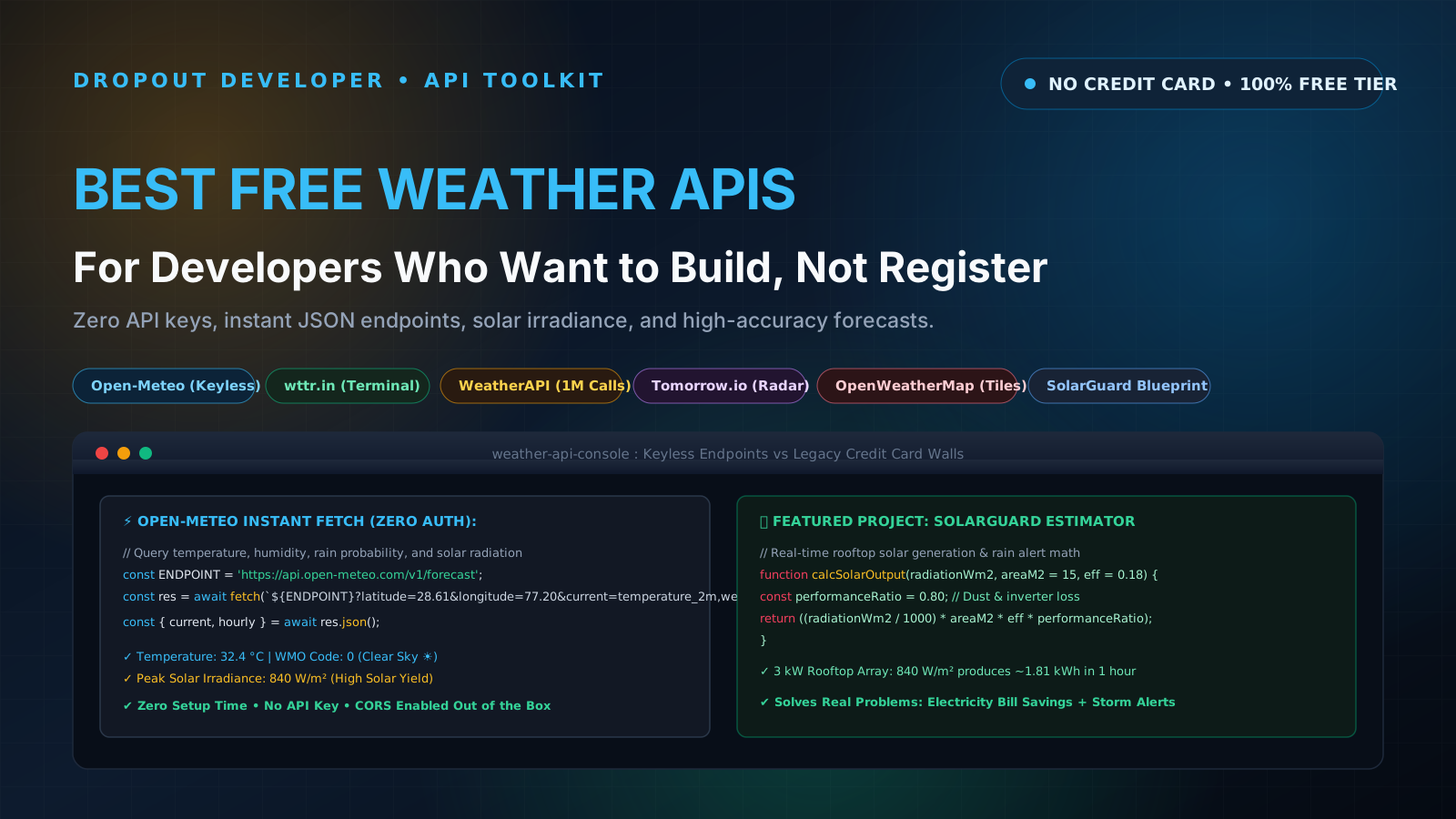
The Weather App Trap: 2-Hour Waits and Credit Card Roadblocks
Every developer has been there. You have an open evening, a fresh cup of chai, and an 8GB RAM laptop that groans whenever you open more than three Chrome tabs. You decide to build a weather dashboard to escape the endless loop of 3.5 LPA mass-recruiter aptitude tests and show hiring managers that you know how to fetch asynchronous data.
You search for a weather API tutorial on YouTube. The instructor tells you to head over to OpenWeatherMap, sign up for a free account, and generate an API key.
You follow every step, paste your shiny new key into your fetch() request, and hit save in VS Code. Instead of current temperature and clouds, your console explodes with a glaring red error:
{
  "cod": 401,
  "message": "Invalid API key. Please see https://openweathermap.org/faq#error401 for more info."
}
You double-check the key. You copy it again. You re-read the query parameters. You start wondering if you made a stupid syntax mistake. Only after digging through third-party forum threads do you discover the unpleasant truth: newly generated OpenWeatherMap keys take anywhere from 45 minutes to 2 hours to propagate across their global servers.
Other modern commercial platforms are even worse. They advertise a "Free Forever" tier, but the moment you click sign up, they demand an active credit card to verify your identity. If you are an Indian student or early-career coder without an international credit card, or if your bank blocks recurring mandates by default, you are locked out before you even write your first line of code.
Building a weekend project should take 15 minutes of setup, not an afternoon of bureaucratic friction. The open-source community tracks dozens of open data sources on github.com/public-apis/public-apis. In our previous guide on 10 Free Public APIs With No Key or Signup Required, we saw how keyless APIs remove setup barriers entirely. Today, we focus specifically on weather and climate data.
Here are the 5 best free weather APIs available right now, ranked by developer friction, accuracy, and real-world utility.
1. Open-Meteo: The Undisputed King of Developer Weather APIs
Official Website: open-meteo.com
Authentication: 100% Keyless (Zero signup, zero tokens)
Free Rate Limit: Up to 10,000 daily API calls for non-commercial use
CORS Enabled: Yes, works directly in frontend browser applications
Open-Meteo is by far the cleanest, most respectful weather API on the internet. Created as an open-source alternative to commercial data brokers, it pulls high-resolution numerical weather prediction models directly from national meteorological services like ECMWF (Europe), DWD ICON (Germany), NOAA GFS (United States), and JMA (Japan).
There is no account creation, no API key to rotate, and no hidden credit card trap. You provide latitude and longitude coordinates, specify which weather variables you want in the query string, and receive structured JSON in less than 80 milliseconds.
What Makes Open-Meteo Special:
- Solar Irradiance Data: Unlike basic APIs that only tell you "Sunny", Open-Meteo delivers
direct_radiation,diffuse_radiation, anddirect_normal_irradiancein Watts per square meter (W/m²). This is invaluable for renewable energy and solar rooftop projects. - Agricultural & Soil Metrics: You can query soil moisture at multiple depth levels (0 to 7 cm, 7 to 28 cm) and evapotranspiration rates.
- Marine & Wave Conditions: It provides dedicated endpoints for ocean wave heights, wave direction, and surface water temperature.
- Historical Climate Reanalysis: An archive going back to 1940 lets you compare today's temperatures against past decades.
Quick Test Endpoint:
https://api.open-meteo.com/v1/forecast?latitude=28.61&longitude=77.20¤t=temperature_2m,relative_humidity_2m,weather_code,wind_speed_10m&hourly=direct_radiation,cloud_cover,precipitation_probabilityBecause Open-Meteo uses the standard World Meteorological Organization (WMO) numeric weather interpretation codes (e.g., Code 0 for Clear Sky, Code 61 for Slight Rain, Code 95 for Thunderstorm), we will write a production translation map in the code section below.
2. wttr.in: The Terminal Hacker's Weather Service
Official Website: github.com/chubin/wttr.in
Authentication: Zero Key or Signup
Free Rate Limit: Respectful personal usage (IP-based limits)
CORS Enabled: Yes
Created by developer Igor Chubin, wttr.in is famous in the Linux and command-line world. If you open your terminal right now and type:
curl https://wttr.in/DelhiYou get a stunning ASCII art weather report rendered directly in your terminal, complete with wind arrows, moon phases, and temperature curves. But many frontend developers do not realize that wttr.in also doubles as a fully-featured REST API for web apps.
By appending the query parameter ?format=j1 to your request, the server returns a rich, structured JSON payload containing current atmospheric conditions, 3-day weather breakdowns, and astronomical solar/lunar data.
Quick Test Endpoint:
https://wttr.in/Mumbai?format=j1Key Advantages:
- City Name Geocoding Built In: You do not need to convert city names into latitude/longitude coordinates beforehand. Passing
wttr.in/Bengaluru?format=j1resolves the coordinates on the server automatically. - Zero Boilerplate: Fantastic for quick prototypes, CLI developer tools, Slack bots, and status bars.
3. WeatherAPI: Generous Free Tier with Air Quality & Severe Alerts
Official Website: weatherapi.com
Authentication: API Key required (Instant activation upon signup)
Free Rate Limit: 1,000,000 free requests per month
CORS Enabled: Yes
If you need rich meteorological features that keyless services omit, WeatherAPI offers the most generous commercial free tier in the industry: one million API calls every month at zero cost. Unlike OpenWeatherMap, their API keys activate instantly without a multi-hour waiting period.
What Sets WeatherAPI Apart:
- Integrated Air Quality Index (AQI): By adding
&aqi=yesto your request, you receive real-time particulate pollution metrics: PM2.5, PM10, Carbon Monoxide (CO), Nitrogen Dioxide (NO2), and Ozone (O3), along with the standard US EPA index (1 to 6). For Indian developers building health or urban living apps where winter smog is a serious concern, this endpoint is gold. - Government Severe Weather Alerts: Returns official government storm, cyclone, and heatwave bulletins with severity levels and advisory text.
- Multi-Language Responses: Supports localized weather descriptions across dozens of languages including Hindi, Tamil, and Bengali.
Quick Test Endpoint:
https://api.weatherapi.com/v1/current.json?key=YOUR_API_KEY&q=Kolkata&aqi=yes4. Tomorrow.io: Hyper-Local, Minute-by-Minute Precipitation
Official Website: tomorrow.io
Authentication: API Key required (Signup needed)
Free Rate Limit: 500 requests per day (25 calls/hour cap)
CORS Enabled: Yes (or via backend route)
Tomorrow.io (formerly ClimaCell) takes a different approach from traditional government meteorological stations. They synthesize radar scans, cellular network signal attenuation, and satellite feeds to build hyper-local, short-term precipitation models.
The Unique Superpower:
Tomorrow.io can tell you not just that it will rain today, but that light drizzle will begin at your exact street corner in 14 minutes and intensify into heavy rainfall at minute 32. Their 1-hour minute-by-minute timeline forecast is unmatched for logistics, food delivery routing, and outdoor event planning applications.
The trade-off is their strict free rate limit: 25 requests per hour and 500 requests per day. To use Tomorrow.io in a portfolio application without burning your quota, you must cache responses aggressively using the client-side caching pattern we will cover shortly.
5. OpenWeatherMap: The Classic Industry Benchmark
Official Website: openweathermap.org
Authentication: API Key required (Takes 1 to 2 hours for new keys to activate)
Free Rate Limit: 60 calls per minute, 1,000,000 calls per month
CORS Enabled: Yes
OpenWeatherMap is the grandfather of developer weather APIs. Almost every bootcamp tutorial and university web development course references it. While the initial key activation delay is frustrating for novices, it remains a reliable tool once active.
Why It Still Matters:
- Standardized Icon Packs: OpenWeatherMap assigns consistent two-character icon codes (like
01dfor daytime clear sky,10dfor rain,11dfor thunderstorm) that map directly to their CDN image URLs:https://openweathermap.org/img/wn/10d@2x.png. - Map Tile Layers: They provide weather radar tile layers (precipitation, wind speed, pressure, temperature) that you can drop directly onto interactive Leaflet or Mapbox maps:
https://tile.openweathermap.org/map/{layer}/{z}/{x}/{y}.png?appid={API_KEY}.
Feature Comparison Matrix
Here is how the five APIs compare side by side across authentication, rate limits, browser compatibility, and primary strengths:
| API Name | Auth Required | Free Monthly Limit | CORS Support | Unique Superpower | Best Project Use Case |
|---|---|---|---|---|---|
| Open-Meteo | None (Keyless) | ~300,000 calls (10k/day) | Yes (Native) | Direct solar radiation, hourly soil and marine variables | Clean dashboards, solar energy tools, zero-setup prototypes |
| wttr.in | None (Keyless) | Fair-use personal limit | Yes (with ?format=j1) | City name geocoding, ASCII terminal graphics, astronomy data | CLI developer tools, terminal scripts, minimal status widgets |
| WeatherAPI | Free Key (Instant) | 1,000,000 calls/month | Yes (Native) | Real-time Air Quality Index (PM2.5, PM10) and severe alerts | Urban health monitors, Indian metro pollution dashboards |
| Tomorrow.io | Free Key (Instant) | 15,000 calls (500/day, 25/hr) | Yes (Native) | Minute-by-minute hyper-local rain precipitation forecasts | Delivery routing apps, sports alerts, outdoor scheduling tools |
| OpenWeatherMap | Free Key (1-2 hr wait) | 1,000,000 calls/month | Yes (Native) | Leaflet/Mapbox weather radar tile overlays and icon CDN | Interactive map dashboards, GIS projects, travel weather widgets |
Note: If you ever encounter cross-origin blocking when connecting external APIs to local development servers, check our in-depth tutorial on How to Fix CORS Errors When Calling Public APIs to solve browser security issues without hacky extensions.
Production Project Blueprint: "SolarGuard" Solar Rooftop Output Estimator & Rain Alert System
If you put another generic "City Weather Card" on your resume, hiring managers will scroll right past it. They have seen hundreds of identical todo apps and weather cards created by tutorial-following bootcamp graduates.
To stand out, solve a real problem with tangible economic value. In India and across developing economies, rooftop solar adoption is booming under initiatives like the PM Surya Ghar Muft Bijli Yojana. Yet most homeowners have no idea how much power their panels are expected to generate each day, or when unexpected cloud cover will slash output.
We are going to build SolarGuard: a full-fledged solar rooftop yield estimator and rain warning system powered by Open-Meteo's solar radiation endpoints.
System Architecture:
- User Input: The user enters their rooftop system size (e.g., standard 3 kW residential array), or their estimated panel surface area (typically 15 to 18 m² for 3 kW) and nominal solar panel efficiency (typically 18% to 20% for monocrystalline panels).
- Meteorological Ingestion: The application queries Open-Meteo for the next 24 hours of
direct_radiation(W/m²),cloud_cover(%),precipitation_probability(%), andweather_code. - Solar Energy Output Formula:
We calculate estimated hourly kilowatt-hours (kWh) using standard photovoltaic engineering principles:
Hourly Solar Energy (kWh) = (Direct Radiation [W/m²] / 1000) * Panel Surface Area [m²] * Panel Efficiency (0.18) * System Performance Ratio (0.80)Here, the
Performance Ratio (0.80)accounts for real-world inverter conversion losses, ambient heat degradation, and dust accumulation on panels. - Intelligent Cloud & Rain Alarm: If
precipitation_probabilityexceeds 60% orcloud_coverspikes above 75% during peak generation hours (10:00 AM to 3:00 PM), SolarGuard triggers a visual banner urging the homeowner to run heavy electrical appliances (washing machines, water heaters, EV chargers) right away before generation plunges. - Resilient Storage Layer: The app caches results in
localStoragewith a 30-minute expiration timestamp to keep network calls minimal and ensure instantaneous reloads.
Production TypeScript Code: Robust Client with WMO Translation & Caching
Here is a complete, production-ready TypeScript implementation. It includes full error handling, request abort timeouts, localStorage caching, WMO weather interpretation code translation, and the SolarGuard yield calculation logic.
Save this as weatherService.ts in your project:
/**
 * WMO Weather Interpretation Code dictionary.
 * Translates numeric WMO codes into human-readable text and status emojis.
 */
export interface WeatherCondition {
  description: string;
  emoji: string;
  isRainy: boolean;
}

export const WMO_CODE_MAP: Record = {
  0: { description: 'Clear sky', emoji: '☀️', isRainy: false },
  1: { description: 'Mainly clear', emoji: '🌤️', isRainy: false },
  2: { description: 'Partly cloudy', emoji: '⛅', isRainy: false },
  3: { description: 'Overcast', emoji: '☁️', isRainy: false },
  45: { description: 'Foggy', emoji: '🌫️', isRainy: false },
  48: { description: 'Depositing rime fog', emoji: '🌫️', isRainy: false },
  51: { description: 'Light drizzle', emoji: '🌦️', isRainy: true },
  53: { description: 'Moderate drizzle', emoji: '🌧️', isRainy: true },
  55: { description: 'Dense drizzle', emoji: '🌧️', isRainy: true },
  61: { description: 'Slight rain', emoji: '🌧️', isRainy: true },
  63: { description: 'Moderate rain', emoji: '🌧️', isRainy: true },
  65: { description: 'Heavy rain', emoji: '⛈️', isRainy: true },
  71: { description: 'Slight snowfall', emoji: '🌨️', isRainy: true },
  73: { description: 'Moderate snowfall', emoji: '🌨️', isRainy: true },
  75: { description: 'Heavy snowfall', emoji: '❄️', isRainy: true },
  80: { description: 'Slight rain showers', emoji: '🌦️', isRainy: true },
  81: { description: 'Moderate rain showers', emoji: '🌧️', isRainy: true },
  82: { description: 'Violent rain showers', emoji: '⛈️', isRainy: true },
  95: { description: 'Thunderstorm', emoji: '⚡', isRainy: true },
  96: { description: 'Thunderstorm with slight hail', emoji: '⛈️', isRainy: true },
  99: { description: 'Thunderstorm with heavy hail', emoji: '⛈️', isRainy: true },
};

export function interpretWmoCode(code: number): WeatherCondition {
  return WMO_CODE_MAP[code] || { description: 'Unknown weather', emoji: '🌡️', isRainy: false };
}

export interface SolarGuardReport {
  cityCoordinates: { lat: number; lon: number };
  currentTemperature: number;
  condition: WeatherCondition;
  dailyEstimatedSolarKWh: number;
  peakHourRadiationWm2: number;
  rainAlert: boolean;
  alertMessage: string | null;
  hourlyForecast: Array<{
    time: string;
    temperature: number;
    radiationWm2: number;
    cloudCoverPercent: number;
    rainProbabilityPercent: number;
    estimatedKWh: number;
  }>;
}

/**
 * Calculates estimated solar photovoltaic generation in kWh.
 * @param radiationWm2 Direct solar radiation in Watts per square meter.
 * @param panelAreaM2 Total surface area of rooftop panels (default 15m² for 3kW).
 * @param panelEfficiency Monocrystalline efficiency (default 18% = 0.18).
 * @param performanceRatio Real-world system losses (default 0.80).
 */
export function calculateHourlyKWh(
  radiationWm2: number,
  panelAreaM2: number = 15,
  panelEfficiency: number = 0.18,
  performanceRatio: number = 0.80
): number {
  if (radiationWm2 <= 0) return 0;
  const kwPerM2 = radiationWm2 / 1000;
  const grossKWh = kwPerM2 * panelAreaM2 * panelEfficiency * performanceRatio;
  return Math.round(grossKWh * 100) / 100;
}

/**
 * Fetches Open-Meteo weather and solar data with AbortController and localStorage caching.
 */
export async function getSolarGuardForecast(
  lat: number = 28.6139,
  lon: number = 77.2090,
  timeoutMs: number = 5000,
  cacheTtlMinutes: number = 30
): Promise {
  const cacheKey = `solarguard_${lat.toFixed(2)}_${lon.toFixed(2)}`;

  // 1. Check local client cache
  if (typeof window !== 'undefined' && window.localStorage) {
    const cachedItem = localStorage.getItem(cacheKey);
    if (cachedItem) {
      try {
        const { timestamp, data } = JSON.parse(cachedItem);
        const ageMinutes = (Date.now() - timestamp) / (1000 * 60);
        if (ageMinutes < cacheTtlMinutes) {
          console.log(`[SolarGuard] Cache hit (${ageMinutes.toFixed(1)}m old). Returning stored forecast.`);
          return data as SolarGuardReport;
        }
      } catch {
        localStorage.removeItem(cacheKey);
      }
    }
  }

  // 2. Setup AbortController for network timeout
  const controller = new AbortController();
  const timeoutId = setTimeout(() => controller.abort(), timeoutMs);

  const endpoint = new URL('https://api.open-meteo.com/v1/forecast');
  endpoint.searchParams.set('latitude', lat.toString());
  endpoint.searchParams.set('longitude', lon.toString());
  endpoint.searchParams.set('current', 'temperature_2m,relative_humidity_2m,weather_code,wind_speed_10m');
  endpoint.searchParams.set('hourly', 'temperature_2m,direct_radiation,cloud_cover,precipitation_probability');
  endpoint.searchParams.set('forecast_days', '1');
  endpoint.searchParams.set('timezone', 'auto');

  try {
    const response = await fetch(endpoint.toString(), {
      signal: controller.signal,
      headers: { 'Accept': 'application/json' },
    });

    if (!response.ok) {
      throw new Error(`Open-Meteo responded with HTTP ${response.status}: ${response.statusText}`);
    }

    const json = await response.json();
    const current = json.current;
    const hourly = json.hourly;

    const condition = interpretWmoCode(current.weather_code);

    let totalDailyKWh = 0;
    let peakRadiation = 0;
    let rainAlertTriggered = false;
    let alertText: string | null = null;

    const hourlyList = hourly.time.map((timestamp: string, idx: number) => {
      const radiation = hourly.direct_radiation[idx] || 0;
      const clouds = hourly.cloud_cover[idx] || 0;
      const rainProb = hourly.precipitation_probability[idx] || 0;
      const hourlyKWh = calculateHourlyKWh(radiation);

      totalDailyKWh += hourlyKWh;
      if (radiation > peakRadiation) peakRadiation = radiation;

      // Check alert condition for daytime working hours (idx 8 to 18)
      if (idx >= 8 && idx <= 18) {
        if (rainProb >= 60 || clouds >= 80) {
          rainAlertTriggered = true;
          alertText = `Heavy cloud cover (${clouds}%) or rain probability (${rainProb}%) expected around ${timestamp.slice(11, 16)}. Run high-draw appliances now.`;
        }
      }

      return {
        time: timestamp,
        temperature: hourly.temperature_2m[idx],
        radiationWm2: radiation,
        cloudCoverPercent: clouds,
        rainProbabilityPercent: rainProb,
        estimatedKWh: hourlyKWh,
      };
    });

    const report: SolarGuardReport = {
      cityCoordinates: { lat, lon },
      currentTemperature: current.temperature_2m,
      condition,
      dailyEstimatedSolarKWh: Math.round(totalDailyKWh * 100) / 100,
      peakHourRadiationWm2: peakRadiation,
      rainAlert: rainAlertTriggered,
      alertMessage: alertText,
      hourlyForecast: hourlyList,
    };

    // 3. Save to localStorage cache
    if (typeof window !== 'undefined' && window.localStorage) {
      try {
        localStorage.setItem(cacheKey, JSON.stringify({
          timestamp: Date.now(),
          data: report,
        }));
      } catch (err) {
        console.warn('[SolarGuard] Could not write to localStorage cache:', err);
      }
    }

    return report;
  } catch (error: any) {
    if (error.name === 'AbortError') {
      throw new Error(`Weather request timed out after ${timeoutMs}ms. Please check your internet connection.`);
    }
    throw error;
  } finally {
    clearTimeout(timeoutId);
  }
}
How to Test This Code in Plain JavaScript:
If you are not using TypeScript, copy the logic directly into your browser's DevTools console or an index.html script tag. Call getSolarGuardForecast() with coordinates for your city:
// Fetch live solar and weather analysis for New Delhi
getSolarGuardForecast(28.6139, 77.2090)
  .then((report) => {
    console.log(`Current Condition: ${report.condition.emoji} ${report.condition.description}`);
    console.log(`Current Temperature: ${report.currentTemperature} °C`);
    console.log(`Estimated Daily Solar Output: ${report.dailyEstimatedSolarKWh} kWh`);
    console.log(`Peak Solar Radiation: ${report.peakHourRadiationWm2} W/m²`);

    if (report.rainAlert) {
      console.warn(`⚠️ ALARM: ${report.alertMessage}`);
    } else {
      console.log('✅ Solar production conditions optimal. No major rain expected today.');
    }
  })
  .catch((err) => console.error('Fetch error:', err.message));
How to Pick the Right Weather API for Your Use Case
Do not waste days overthinking which API to select. Here is a clear decision framework based on what you are building:
- Choose Open-Meteo if: You want zero setup time, zero API key management, and deep scientific metrics like solar radiation, wind gusts, soil moisture, and wave heights. It is the gold standard for clean frontend development.
- Choose wttr.in if: You are writing a Linux bash script, building a CLI tool, crafting a Slack bot, or creating a retro terminal UI. Adding
?format=j1delivers structured JSON without needing to geocode city names first. - Choose WeatherAPI if: Your application tracks city health, pollution, or smog indices. Their bundled Air Quality Index (US EPA index, PM2.5, PM10) saves you from integrating a separate pollution API, and their 1,000,000 monthly free calls provide massive room to scale.
- Choose Tomorrow.io if: You are prototyping a food delivery, courier, or outdoor event application where minute-by-minute rain predictions matter. Keep their 25 requests/hour cap in mind by pairing it with client-side caching.
- Choose OpenWeatherMap if: Your application features interactive Leaflet or Mapbox map views that require live precipitation or wind radar tile overlays. Just remember to generate your API key an hour before your coding session starts.
The Final Takeaway: Build Practical Tools, Not Demos
When I was trying to crack my first software engineering role from a Tier-3 college with a laptop that barely ran VS Code and Chrome simultaneously, I spent weeks feeling intimidated by candidates who had expensive cloud certifications or fancy credentials. But in actual technical interviews, interviewers rarely quizzed me on complex cloud architectures. Instead, they asked me to open my GitHub projects, explain how I handled network failures, and walk through how I structured real-world asynchronous state.
When you build a project like SolarGuard, you demonstrate to senior engineers that you think about practical value. You understand how to translate raw scientific numbers into actionable user alerts. You know how to implement request abort timeouts so slow 3G connections do not freeze UI threads. And you know how to use local caching layers so your application loads in 0ms on repeat visits without burning server quotas.
Pick Open-Meteo tonight. Spin up a clean Vite project. Deploy it to Cloudflare Pages or Vercel for ₹0. And put a working project on your portfolio that you can speak about with complete confidence.