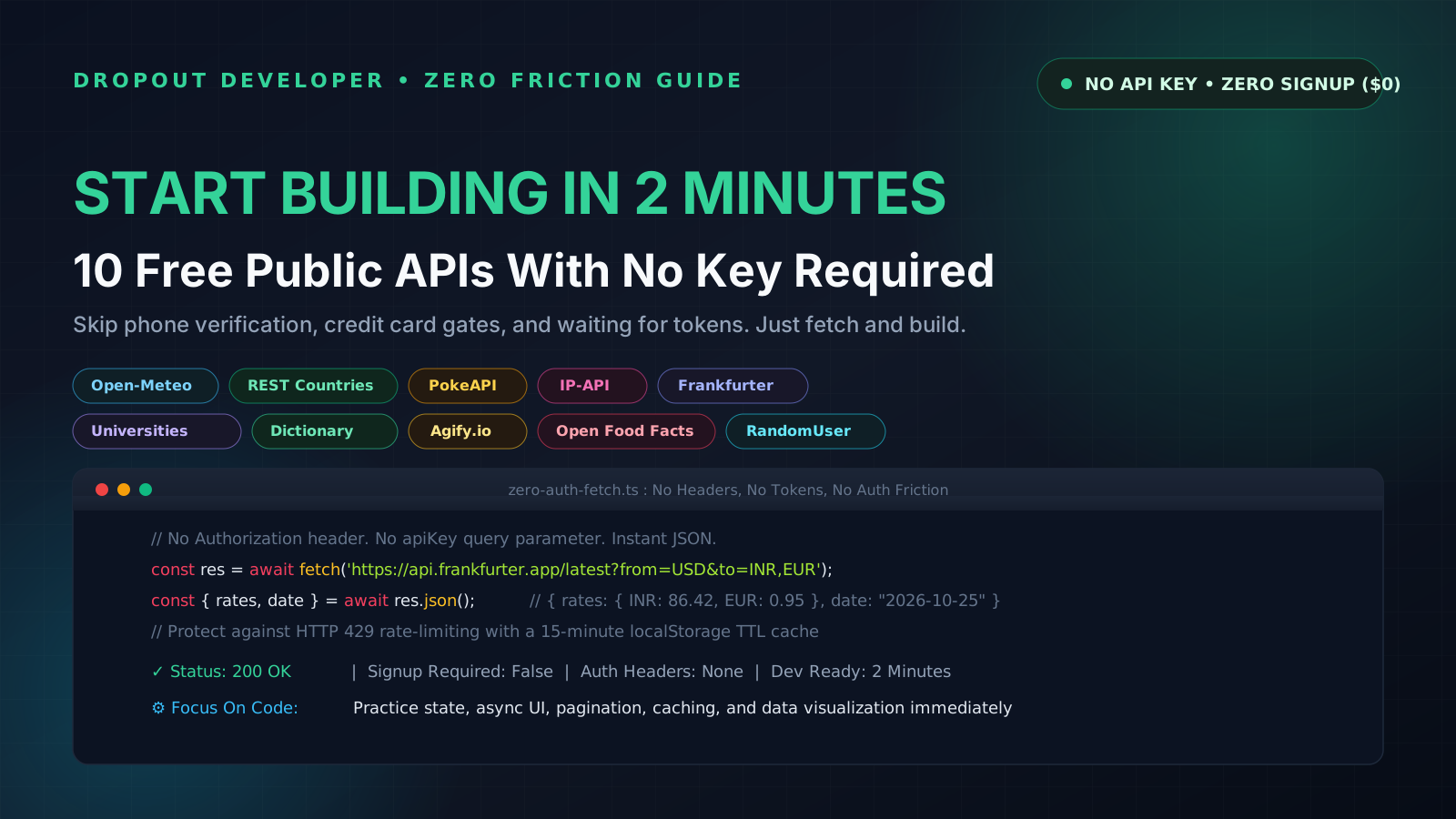
The 45-Minute Setup Trap: Why Friction Kills Learning
You have a Saturday afternoon free. You sit down with a cup of chai, open your laptop, and decide to practice React, Angular, or vanilla JavaScript. You want to build a simple weather widget, an currency converter, or a search filter with real-world data.
Then the friction begins:
- You find an API tutorial on YouTube or Google.
- You visit the developer portal and hit 'Sign Up'.
- You enter your email, create a 14-character password with special symbols, and solve two captchas.
- You wait 10 minutes for an email verification link.
- You enter your phone number to receive an OTP.
- Some platforms even prompt you for a credit card 'to verify your identity', which immediately gets declined because Indian debit cards block international recurring mandates by default.
- Finally, you get an API key. Now you have to create a
.envfile, set up build-time environment variables, and configure git ignore so you do not accidentally leak your secret token to GitHub.
By the time your first fetch() request returns data, 45 minutes have passed. Your tea is cold. Your excitement is gone. You close the laptop and browse Instagram instead.
I know this cycle because I lived it for months while self-learning code. When you are trying to understand UI state, pagination, skeleton loaders, or asynchronous data fetching, you do not need enterprise OAuth2 workflows. You need fast, reliable endpoints that return clean JSON right now.
The famous repository github.com/public-apis/public-apis tracks hundreds of open data sources. Here are 10 of the best public APIs that require zero API keys, zero signups, and zero tokens. Copy any snippet below, paste it into your browser DevTools console, and see live data in 2 seconds.
1. Open-Meteo: Global Weather and Forecasts
API Endpoint: https://api.open-meteo.com/v1/forecast?latitude=28.61&longitude=77.20¤t=temperature_2m,relative_humidity_2m,wind_speed_10m
Authentication: None required (Zero registration, 100% open)
Official Documentation: open-meteo.com/en/docs
Unlike OpenWeatherMap or AccuWeather which force you to sign up and wait for key activations, Open-Meteo is completely free for non-commercial use. It delivers hourly temperatures, relative humidity, wind speeds, and precipitation forecasts for any latitude and longitude on Earth.
Copy-Paste Code Snippet:
// Fetch current weather for New Delhi (28.61 N, 77.20 E)
async function getCurrentWeather(lat = 28.61, lon = 77.20) {
const url = `https://api.open-meteo.com/v1/forecast?latitude=${lat}&longitude=${lon}¤t=temperature_2m,relative_humidity_2m,wind_speed_10m`;
const res = await fetch(url);
const data = await res.json();
console.log('Temperature:', data.current.temperature_2m, data.current_units.temperature_2m);
console.log('Humidity:', data.current.relative_humidity_2m, '%');
console.log('Wind Speed:', data.current.wind_speed_10m, data.current_units.wind_speed_10m);
return data.current;
}
getCurrentWeather();1-Hour Weekend Project Idea: City Weather Ribbon
Build a sticky top-bar notification widget for your web apps. Allow the user to toggle between 4 preset Indian metro cities (Delhi, Mumbai, Bengaluru, Kolkata) and switch units between Celsius and Fahrenheit. Store the user's selected city in localStorage so it remembers their choice on refresh.
2. REST Countries: Geopolitical Data and Flags
API Endpoint: https://restcountries.com/v3.1/name/india?fields=name,capital,currencies,languages,flags,population
Authentication: None required (Free public API)
Official Documentation: restcountries.com
REST Countries gives you structured information on 250 sovereign states and territories. You get official names, capital cities, land borders, currencies, native languages, calling codes, and direct URLs to SVG national flags.
Copy-Paste Code Snippet:
async function getCountryDetails(countryName = 'india') {
  const url = `https://restcountries.com/v3.1/name/${countryName}?fields=name,capital,currencies,languages,flags,population`;
  const res = await fetch(url);
  const [country] = await res.json();

  const currencyKey = Object.keys(country.currencies)[0];
  const currency = country.currencies[currencyKey];

  console.log('Common Name:', country.name.common);
  console.log('Capital:', country.capital[0]);
  console.log('Currency:', currency.name, `(${currency.symbol})`);
  console.log('Flag SVG:', country.flags.svg);
  return country;
}

getCountryDetails('india');
1-Hour Weekend Project Idea: Smart Phone Dial-Code Picker
Build an international phone input field with an interactive flag selector dropdown. When a user selects a country from the dropdown, automatically prefix the phone field with the international dialing code and show the official country flag icon alongside the local currency symbol.
3. PokeAPI: The Gold Standard for Frontend Practice
API Endpoint: https://pokeapi.co/api/v2/pokemon?limit=12&offset=0
Authentication: None required (Zero auth, unlimited public access)
Official Documentation: pokeapi.co/docs/v2
PokeAPI is widely considered the best sandbox API for learning frontend development. It contains thousands of deeply nested relational objects: creatures, elemental types, battle stats, move trees, and high-resolution sprite artwork. It supports standard limit and offset query parameters for practicing real pagination.
Copy-Paste Code Snippet:
async function getPokemonRoster(page = 0, pageSize = 6) {
  const offset = page * pageSize;
  const url = `https://pokeapi.co/api/v2/pokemon?limit=${pageSize}&offset=${offset}`;
  const res = await fetch(url);
  const data = await res.json();

  // Fetch individual sprites in parallel
  const cards = await Promise.all(
    data.results.map(async (item) => {
      const detailRes = await fetch(item.url);
      const detail = await detailRes.json();
      return {
        name: detail.name,
        id: detail.id,
        image: detail.sprites.other['official-artwork'].front_default,
        types: detail.types.map((t) => t.type.name),
      };
    })
  );

  console.table(cards);
  return cards;
}

getPokemonRoster(0, 4);
1-Hour Weekend Project Idea: Infinite Scroll Pokédex
Build an image gallery that loads 12 cards at a time. Use the browser's native IntersectionObserver API attached to a bottom sentinel element. As the user scrolls near the bottom of the page, automatically fetch the next batch of 12 items while displaying elegant shimmer skeleton loaders.
4. IP-API: Instant Geolocation and Network Details
API Endpoint: http://ip-api.com/json/?fields=status,message,country,regionName,city,zip,lat,lon,timezone,isp,query
Authentication: None required (Free tier: 45 requests/minute)
Official Documentation: ip-api.com/docs/api:json
Want to know where your visitor is connecting from without asking for annoying browser GPS permissions? IP-API inspects the incoming request's TCP IP address and immediately returns city, region, postal code, timezone, latitude/longitude, and the Internet Service Provider (ISP) name.
Note: The free tier of IP-API runs on HTTP. If you are developing locally or running on Node.js / backend scripts, it works out of the box. For HTTPS production websites, query it through a backend route or lightweight serverless proxy.
Copy-Paste Code Snippet:
async function getMyNetworkDetails() {
  const url = 'http://ip-api.com/json/?fields=status,country,regionName,city,timezone,isp,query';
  const res = await fetch(url);
  const data = await res.json();

  console.log('Public IP:', data.query);
  console.log('Location:', `${data.city}, ${data.regionName}, ${data.country}`);
  console.log('Internet Provider:', data.isp);
  console.log('Timezone:', data.timezone);
  return data;
}

getMyNetworkDetails();
1-Hour Weekend Project Idea: Network Diagnostics & ISP Banner
Create a mini network inspector card that shows visitors their public IP address, detected telecom provider (such as Jio, Airtel, ACT, or Vodafone), and local timezone. Add a live ping timer to measure how fast the client can round-trip to the server.
5. Frankfurter API: Live & Historical Currency Exchange Rates
API Endpoint: https://api.frankfurter.app/latest?from=USD&to=INR,EUR,GBP
Authentication: None required (Open source, zero auth)
Official Documentation: frankfurter.app/docs/
Most currency APIs (like Fixer or CurrencyLayer) require signing up and give you restrictive free plans of 100 requests per month. Frankfurter is an open-source API tracking official European Central Bank reference exchange rates. It updates daily and has historical exchange rates dating all the way back to 1999.
Copy-Paste Code Snippet:
async function convertCurrency(amountUsd = 100) {
  const url = 'https://api.frankfurter.app/latest?from=USD&to=INR,EUR,GBP';
  const res = await fetch(url);
  const data = await res.json();

  const inrRate = data.rates.INR;
  const inrTotal = (amountUsd * inrRate).toFixed(2);

  console.log(`As of ${data.date}:`);
  console.log(`$${amountUsd} USD = ₹${inrTotal} INR (Rate: 1 USD = ₹${inrRate})`);
  return { date: data.date, inrTotal, inrRate };
}

convertCurrency(250);
1-Hour Weekend Project Idea: Freelancer Hourly Rate Calculator
Build a clean calculator designed for Indian developers and remote freelancers. Allow users to enter their hourly rate in US Dollars ($). Display their converted gross daily, weekly, and monthly earnings in Indian Rupees (INR) alongside estimated deductions for international bank wire transfer fees and 18% GST.
6. Universities List API: Search Global College Databases
API Endpoint: http://universities.hipolabs.com/search?country=India
Authentication: None required (Open public data)
Official Documentation: github.com/Hipo/university-domains-list
Maintained by Hipo, this open project indexes over 9,000 higher education institutions across 200 countries. You can filter colleges by country, name substring, or official web domain (such as .ac.in or .edu).
Copy-Paste Code Snippet:
async function searchIndianUniversities(searchTerm = 'Technology') {
  const url = `http://universities.hipolabs.com/search?country=India&name=${encodeURIComponent(searchTerm)}`;
  const res = await fetch(url);
  const list = await res.json();

  console.log(`Found ${list.length} universities matching "${searchTerm}":`);
  list.slice(0, 5).forEach((uni) => {
    console.log(`- ${uni.name} (${uni.web_pages[0]})`);
  });

  return list;
}

searchIndianUniversities('Delhi');
1-Hour Weekend Project Idea: Student Email Domain Verifier
Build a student signup form with an autocomplete search box. When a user types their university name, filter through Indian institutions and automatically verify whether their entered email address matches the official college domain (e.g., verifying @iitd.ac.in or @dtu.ac.in).
7. Free Dictionary API: Definitions, Phonetics, and Audio
API Endpoint: https://api.dictionaryapi.dev/api/v2/entries/en/serendipity
Authentication: None required (Zero tokens, public community service)
Official Documentation: dictionaryapi.dev
Looking up words should not require an enterprise dictionary key from Oxford or Merriam-Webster. This community API returns rich lexical data: parts of speech, phonetic spellings, direct MP3 links to clear native speaker audio pronunciations, synonyms, antonyms, and example sentences.
Copy-Paste Code Snippet:
async function lookupWord(word = 'serendipity') {
  const url = `https://api.dictionaryapi.dev/api/v2/entries/en/${encodeURIComponent(word)}`;
  const res = await fetch(url);
  const [entry] = await res.json();

  const firstMeaning = entry.meanings[0];
  const firstDefinition = firstMeaning.definitions[0];
  const audioObj = entry.phonetics.find((p) => p.audio && p.audio.length > 0);

  console.log('Word:', entry.word, `[${entry.phonetic || ''}]`);
  console.log('Part of Speech:', firstMeaning.partOfSpeech);
  console.log('Definition:', firstDefinition.definition);
  if (audioObj) console.log('Audio Pronunciation URL:', audioObj.audio);

  return { entry, audioUrl: audioObj ? audioObj.audio : null };
}

lookupWord('code');
1-Hour Weekend Project Idea: Audio Flashcard Vocabulary Builder
Create a clean vocabulary card app. When the user searches a word, show its definition, part of speech, and an interactive speaker button. When clicked, trigger new Audio(audioUrl).play() in JavaScript so the user hears authentic pronunciation without external plugins.
8. Agify.io: Demographic Age Prediction by First Name
API Endpoint: https://api.agify.io?name=ankur
Authentication: None required (Free tier: 1,000 requests/day)
Official Documentation: agify.io
Agify parses global public census and demographic records to estimate the probable age and statistical sample count for any given first name. It is lightweight, returns instantaneous JSON, and is a fantastic sandbox for testing form validation and dynamic data display.
Copy-Paste Code Snippet:
async function predictAgeByName(name = 'rahul') {
  const url = `https://api.agify.io?name=${encodeURIComponent(name)}`;
  const res = await fetch(url);
  const data = await res.json();

  console.log(`Name: ${data.name}`);
  console.log(`Estimated Age: ${data.age} years old`);
  console.log(`Based on sample size: ${data.count.toLocaleString()} records`);
  return data;
}

predictAgeByName('priya');
1-Hour Weekend Project Idea: Name Age Guesser Game
Build a fun party game: let users type in their friends' names and guess their age before clicking reveal. The app queries Agify, displays the statistically predicted age alongside the user's guess, and awards points based on how close they were.
9. Open Food Facts: Global Packaged Grocery Database
API Endpoint: https://world.openfoodfacts.org/api/v2/product/737628064500.json
Authentication: None required (100% open, collaborative database)
Official Documentation: wiki.openfoodfacts.org/API
Open Food Facts is Wikipedia for groceries. With over 3,000,000 products cataloged worldwide, you can query items by barcode (EAN/UPC) or name. It returns brand details, ingredient breakdowns, allergen warnings, Nutri-Scores (A through E), and NOVA food processing ratings.
Copy-Paste Code Snippet:
async function getProductByBarcode(barcode = '737628064500') {
  const url = `https://world.openfoodfacts.org/api/v2/product/${barcode}.json`;
  const res = await fetch(url);
  const data = await res.json();

  if (data.status !== 1) {
    console.log('Product not found in open database.');
    return null;
  }

  const p = data.product;
  console.log('Product Name:', p.product_name);
  console.log('Brand:', p.brands);
  console.log('Nutri-Score Grade:', (p.nutriscore_grade || 'N/A').toUpperCase());
  console.log('Ingredients:', p.ingredients_text || 'Not listed');
  return p;
}

getProductByBarcode('737628064500');
1-Hour Weekend Project Idea: Snack Health Inspector
Build a grocery nutrition inspector. Users enter or scan a barcode from their favorite biscuit, instant noodle, or soft drink packet. Display color-coded badges for its Nutri-Score (Green A to Red E) and flag whether it contains high levels of saturated fats, sugar, or sodium.
10. RandomUser.me: Realistic Mock User Profiles
API Endpoint: https://randomuser.me/api/?results=6&nat=in,us,gb
Authentication: None required (Free public generator)
Official Documentation: randomuser.me/documentation
When prototyping dashboards, social feeds, or CRM tables, using static hardcoded placeholders like 'John Doe' looks cheap. RandomUser generates realistic, structured user profiles: high-res profile photos, first and last names, email addresses, phone numbers, street addresses, and birthdates. You can even pass a seed parameter so your mock data remains deterministic across reloads.
Copy-Paste Code Snippet:
async function getMockUsers(count = 4, nationalities = 'in,us') {
  const url = `https://randomuser.me/api/?results=${count}&nat=${nationalities}&inc=name,email,picture,location,phone`;
  const res = await fetch(url);
  const data = await res.json();

  const users = data.results.map((u) => ({
    fullName: `${u.name.first} ${u.name.last}`,
    email: u.email,
    city: u.location.city,
    country: u.location.country,
    avatar: u.picture.medium,
  }));

  console.table(users);
  return users;
}

getMockUsers(5, 'in');
1-Hour Weekend Project Idea: Team Directory with Search & Copy-to-Clipboard
Build a modern company team directory card grid. Fetch 12 users, display their portrait avatars with city tags, add a live search filter input by name, and add a one-click 'Copy Email' button that displays a pleasant toast notification.
The Hidden Catch: IP-Based Rate Limiting
When an API does not require an API key, you might wonder: what stops someone from spamming 10,000 requests per second and bringing down their servers?
The answer is simple: they rate limit by your client IP address.
In local development, this creates an unexpected trap. If you put a fetch() call inside a React useEffect() without an empty dependency array, or if your Vite/Next.js hot reload triggers repeatedly while typing code, your browser can silently fire 50 requests in 3 seconds.
Suddenly, the API stops working. Your console throws:
HTTP 429 Too Many Requests
Retry-After: 900
The server has temporarily banned your IP address for the next 15 minutes. To avoid this, write a lightweight client-side cache wrapper with a Time-To-Live (TTL).
The 15-Minute Cache Wrapper: Protect Your IP
Here is a clean, reusable function you can drop into any project. It checks localStorage first. If the cached data is less than 15 minutes old, it returns immediately with 0ms network latency. If it is expired or missing, it makes the network call and updates the cache:
/**
 * Zero-dependency fetch wrapper with localStorage TTL caching.
 * Prevents HTTP 429 rate-limiting on keyless public APIs.
 */
export async function fetchWithCache<T>(
  url: string,
  ttlMinutes: number = 15
): Promise<T> {
  const cacheKey = `dd_cache_${url}`;
  const cached = localStorage.getItem(cacheKey);

  if (cached) {
    try {
      const { timestamp, data } = JSON.parse(cached);
      const ageMinutes = (Date.now() - timestamp) / (1000 * 60);

      if (ageMinutes < ttlMinutes) {
        console.log(`[Cache Hit: ${ageMinutes.toFixed(1)}m old] ${url}`);
        return data as T;
      }
    } catch {
      localStorage.removeItem(cacheKey);
    }
  }

  console.log(`[Network Fetch] ${url}`);
  const response = await fetch(url);

  if (!response.ok) {
    throw new Error(`Network request failed with status ${response.status}: ${response.statusText}`);
  }

  const freshData: T = await response.json();

  try {
    localStorage.setItem(
      cacheKey,
      JSON.stringify({
        timestamp: Date.now(),
        data: freshData,
      })
    );
  } catch (err) {
    // Graceful fallback if localStorage quota is exceeded
    console.warn('Unable to cache data in localStorage:', err);
  }

  return freshData;
}
When you wrap your public API calls with this function:
// First call: hits the network
const countries = await fetchWithCache('https://restcountries.com/v3.1/name/india');

// Second call (page reload or re-render): returns instantly from disk in 0ms!
const sameCountries = await fetchWithCache('https://restcountries.com/v3.1/name/india');
Your app feels lightning fast, your browser never triggers rate limits, and you learn how production caching layers actually work.
Your Weekend Challenge: Build One Small Thing
When I was learning software development with zero money in my bank account, I often felt paralyzed by how much there was to learn. I thought I needed AWS certifications, enterprise databases, and complex backend architectures before I could build anything worthy of showing on my resume.
That belief was completely wrong. Every senior engineer started by building small, working tools with free data.
Do not try to build all 10 APIs at once. Pick just one from this list tonight:
- If you like UI layouts, build the PokeAPI infinite scroll gallery.
- If you like financial tools, build the Frankfurter currency calculator.
- If you want practical utility, build the Open-Meteo weather bar.
Wrap the API in the 15-minute cache wrapper, deploy it to Cloudflare Pages or Vercel for ₹0, and pin the repository to your GitHub profile. You will learn more in 2 hours of hands-on coding than in 20 hours of passive video watching.