The Spotify Trap: Why Most Portfolio Music Players Are Broken Before You Even Click Play
Every frontend developer has dreamed of building a music player. You can visualize it in your head: a sleek dark interface with neon accents, vinyl disc animations, glowing frequency bars dancing to the beat, and a smooth timeline scrubber. It is the gold standard portfolio piece that demonstrates UI craft, state management, asynchronous data fetching, and browser media controls in one package.
Then reality strikes. Most developers search Google for audio data, land on the Spotify Web API documentation, and fall into a trap that kills their project before they write twenty lines of code.
Here is what happens when you try to build with Spotify today:
- Mandatory OAuth 2.0 PKCE Wall: Spotify does not let anonymous visitors listen to audio. To play any track, the person browsing your web app must click a login button, get redirected to Spotify, approve permissions, and return to your site with an active access token.
- The Paid Premium Requirement: Spotify's Web Playback SDK strictly requires an active, paid Spotify Premium subscription. If a recruiter, interviewer, or client reviews your portfolio while using a free Spotify account (or without being logged in on that specific desktop browser), your player will fail silently. No sound will play.
- Recent Developer Restrictions: In late 2024 and 2025, Spotify restricted their developer portal even further. They deprecated public algorithmic recommendation endpoints, clamped down on non-commercial app quotas, and mandated strict app review processes just to keep client IDs alive.
Think about this from the perspective of an engineering student in a Tier-3 college or a junior engineer grinding through a 3.5 LPA mass-recruiter service bond on a battered 8GB RAM laptop. You have a budget of exactly zero rupees. You cannot afford enterprise music licensing, and you certainly cannot expect a hiring manager looking through fifty candidate resumes to log into their personal Spotify account just to see if your audio scrubber works.
The good news is that you do not need Spotify. The open-source and public API ecosystem offers incredible music, audio, and metadata services that require zero authentication walls, provide direct MP3 streams that play natively inside the HTML5 <audio> element, and give you the raw data needed to build production-grade web audio players for $0.
The 5 Best Free Music and Audio APIs for Developers
Let us look at the top five free music and audio APIs available today, examining their endpoints, authentication mechanisms, audio stream availability, rate limits, and real-world project applications.
1. Deezer Public API: Direct 30-Second MP3 Audio Streams with Zero Auth
If you want to build a functional web player with real commercial tracks, Deezer is the undisputed king of free music APIs. While Spotify locked their platform down, Deezer continues to provide open access to their global catalog of over 90 million tracks without requiring an API key for public search.
When you query the Deezer search endpoint, the JSON response includes track titles, artist metadata, high-resolution album artwork (from 56px up to 1000px cover_xl), duration, BPM, and most importantly: the preview field. This field contains a direct HTTPS URL to a 30-second, 128 kbps MP3 audio stream hosted on Deezer's content delivery network (CDN).
# Search for tracks without any API key or registration
curl -X GET "https://api.deezer.com/search?q=daft+punk"
Here is a snippet of what Deezer returns in the data array:
{
  "data": [
    {
      "id": 3135556,
      "title": "Harder, Better, Faster, Stronger",
      "duration": 224,
      "preview": "https://cdns-preview-d.dzcdn.net/stream/c-deda7fa9316d9aa52f7618447343366c-4.mp3",
      "artist": {
        "id": 27,
        "name": "Daft Punk",
        "picture_medium": "https://e-cdns-images.dzcdn.net/images/artist/f2bc007e9133c946ac3c3f5dd5153e32/250x250-000000-80-0-0.jpg"
      },
      "album": {
        "id": 302127,
        "title": "Discovery",
        "cover_xl": "https://e-cdns-images.dzcdn.net/images/cover/2e018122cb56986277102d2041a592c8/1000x1000-000000-80-0-0.jpg"
      }
    }
  ]
}
Because the preview link is a direct MP3 stream, you can drop it straight into a standard HTML5 audio tag:
<audio controls src="https://cdns-preview-d.dzcdn.net/stream/c-deda7fa9316d9aa52f7618447343366c-4.mp3"></audio>
CORS Considerations: The only hurdle with Deezer is browser Cross-Origin Resource Sharing (CORS). Direct client-side fetch() requests from a browser to api.deezer.com may be blocked because Deezer does not return wildcard Access-Control-Allow-Origin: * headers on its JSON endpoints. You have two elegant solutions:
- Option A (Zero-Backend JSONP): Deezer supports JSONP. Appending
&output=jsonpallows you to load data dynamically via a<script>tag callback without any backend server. - Option B (Local Dev Proxy / Serverless Route): If you use Vite, Next.js, or Express, configure a simple reverse proxy route (e.g.
/api/deezer?q=...) that fetches the data server-side and forwards it to your frontend. If you want a deep dive into handling these restrictions, check our guide on how to fix CORS errors when calling public APIs.
Rate Limits: Deezer allows up to 50 requests per 5 seconds per IP address, which is more than enough for responsive search-as-you-type inputs and portfolio demos.
2. MusicBrainz API: The Open-Source Wikipedia of Music Relationships
When you need deep musical metadata, artist genealogies, or historical discographies, commercial APIs fall short. They frequently delete catalog numbers, misattribute classical compositions, and bury independent label data behind proprietary walls.
MusicBrainz is a project operated by the non-profit MetaBrainz Foundation. It is a completely open-source, community-maintained encyclopedia of music. Every artist, release, recording, and label is identified by a permanent UUID known as a MusicBrainz ID (MBID).
The MusicBrainz REST API allows you to traverse rich relational graphs with lookup queries:
# Lookup Queen by MBID and include their official release groups and recordings
curl -X GET "https://musicbrainz.org/ws/2/artist/0383dadf-2a4e-4d10-a46a-e9e041da8eb3?inc=release-groups+recordings&fmt=json" \
     -H "User-Agent: SoundScapePlayer/1.0.0 ( contact@dropoutdeveloper.in )"
Key advantages of MusicBrainz:
- Universal Canonical Identifiers: MBIDs are universally recognized across the music tech industry. Services like ListenBrainz, Cover Art Archive, and AcoustID use MBIDs as their primary foreign keys.
- Cover Art Archive Integration: Once you have a MusicBrainz release MBID, you can fetch original cover artwork directly from the Internet Archive via
https://coverartarchive.org/release/{mbid}with zero authentication. - Zero Commercial Lock-in: The core metadata is dedicated to the public domain under Creative Commons CC0.
Strict Rate Limit Rule: MusicBrainz enforces an IP rate limit of 1 request per second. You must also supply a descriptive, meaningful User-Agent header containing your application name and contact URL or email. If you use a generic User-Agent (like curl or default Node fetch), your IP will be throttled. Cache your lookup responses in memory or LocalStorage to maintain a snappy user experience.
3. Last.fm API: Collaborative Filtering, Taste Graphs and Tag Discovery
Deezer gives you the audio stream, and MusicBrainz gives you the canonical discography. But how do you recommend new music when a user finishes listening to a track?
This is where the Last.fm API shines. For over twenty years, Last.fm has tracked hundreds of millions of user listening habits ("scrobbles"). This collaborative filtering dataset creates the most comprehensive music similarity graph in existence.
Signing up for a Last.fm API key takes less than two minutes on their developer console and costs nothing. Once you have an API key, you can access powerful discovery endpoints:
# Get similar artists with normalized similarity scores
curl -X GET "https://ws.audioscrobbler.com/2.0/?method=artist.getsimilar&artist=Radiohead&api_key=YOUR_API_KEY&format=json"
The response gives you related artists with a normalized match score between 0.0 and 1.0:
{
  "similarartists": {
    "artist": [
      {
        "name": "Thom Yorke",
        "mbid": "673f443b-8a9d-4767-88ab-f6556133a875",
        "match": "0.912456",
        "url": "https://www.last.fm/music/Thom+Yorke"
      },
      {
        "name": "The Smile",
        "match": "0.865421",
        "url": "https://www.last.fm/music/The+Smile"
      }
    ]
  }
}
You can also query tag.getTopTracks?tag=synthwave or tag.getTopTracks?tag=ambient to build genre-based playlists dynamically. When building a music discovery portfolio app, Last.fm enables you to build a node graph visualizer that lets users click from one artist into an expanding constellation of related musical styles.
4. Genius API: Verified Lyrical Metadata and Producer Credits
Music goes far beyond audio frequencies: it represents poetry, production credits, and storytelling. The Genius API provides access to the world's largest crowd-sourced database of song lyrics, musical annotations, and liner notes.
You can create a free developer account on Genius, generate a Client Access Token, and make authenticated search queries:
# Search for song metadata and lyrics links
curl -X GET "https://api.genius.com/search?q=Bohemian+Rhapsody" \
     -H "Authorization: Bearer YOUR_GENIUS_ACCESS_TOKEN"
A Critical Technical Note on Lyrics: Due to complex copyright licensing agreements with music publishers (such as Sony/ATV and Universal Music Publishing Group), the Genius REST API does not return raw lyrics strings in JSON format. Instead, each search hit provides:
- The canonical, verified URL to the full lyrics page on Genius (
result.url). - Song title, primary artist, and featured guest artists.
- Album art and header imagery.
- Producer credits and release date annotations.
In a frontend application, you can use Genius metadata to show verified production credits and provide a slick "View Verified Lyrics" modal or preview card that deep-links directly to the song's annotations.
5. Jamendo API: Full-Length Royalty-Free Streaming and CC Radio
What if your portfolio project requires full-length songs rather than 30-second previews? For example, what if you are building an ambient study timer (like a Pomodoro app with Lo-Fi beats), an indie game web player, or a podcast background audio mixer?
In that scenario, Jamendo is your answer. Jamendo is a massive platform dedicated to independent artists publishing music under Creative Commons licenses. Their developer API provides free access to over 500,000 full-length tracks with zero paywalls.
# Fetch full-length chillout tracks with streaming audio URLs
curl -X GET "https://api.jamendo.com/v3.0/tracks/?client_id=YOUR_CLIENT_ID&format=jsonpretty&limit=5&tags=chillout&audioformat=mp32"
Key highlights of Jamendo:
- Full-Length Audio Streams: The
audiofield returns an uninterrupted MP3 stream URL for the complete song. - Creative Commons Legal Safety: Every track clearly defines its CC license (CC-BY, CC-NC, CC-SA). You can legally stream and even download these tracks without worrying about DMCA strikes.
- Internet Radio Stations: Jamendo provides live themed streaming radio endpoints (rock, electronic, jazz, classical) that you can pipe into an HTML5 audio element for an instant 24/7 web radio app.
Feature Comparison Matrix: Finding the Right Music API
To help you choose the right tools for your specific project architecture, here is a breakdown of how these five APIs compare across key engineering parameters:
| API Name | Authentication | Audio Streams | Free Quota | CORS Friendly | Best Portfolio Use Case |
|---|---|---|---|---|---|
| Deezer | None (Keyless) | Yes (30s MP3 preview) | 50 req / 5 sec | Proxy / JSONP needed | Commercial Web Audio Player, Track Search & Visualizers |
| MusicBrainz | None (User-Agent header) | No (Metadata only) | 1 req / sec | Yes (Wildcard CORS) | Artist Discography Timelines, Music Lineage Graph |
| Last.fm | Free API Key | No (Similarity & Tags) | High / Unmetered non-commercial | Yes (Wildcard CORS) | Recommendation Engines, Taste Clusters & Genre Radios |
| Genius | Free Bearer Token | No (Lyrics URLs & Credits) | Generous developer tier | Yes (Wildcard CORS) | Song Liner Notes, Producer Credits, Lyrics Card Previews |
| Jamendo | Free Client ID | Yes (Full-Length MP3) | Generous developer tier | Yes (Wildcard CORS) | Study Music / Pomodoro App, 24/7 Web Radio, Indie Showcase |
If you prefer building projects that do not require registering for any developer keys at all, check our curated directory of free public APIs without an API key.
Project Blueprint: Building SoundScape (Web Player + Waveform Visualizer + Discovery Graph)
Now let us connect these APIs into a production-grade portfolio project called SoundScape. Instead of building a static mock player that only renders hardcoded fake data, SoundScape is a live, interactive web audio application that proves your engineering capability.
System Architecture
The architecture combines three distinct layers:
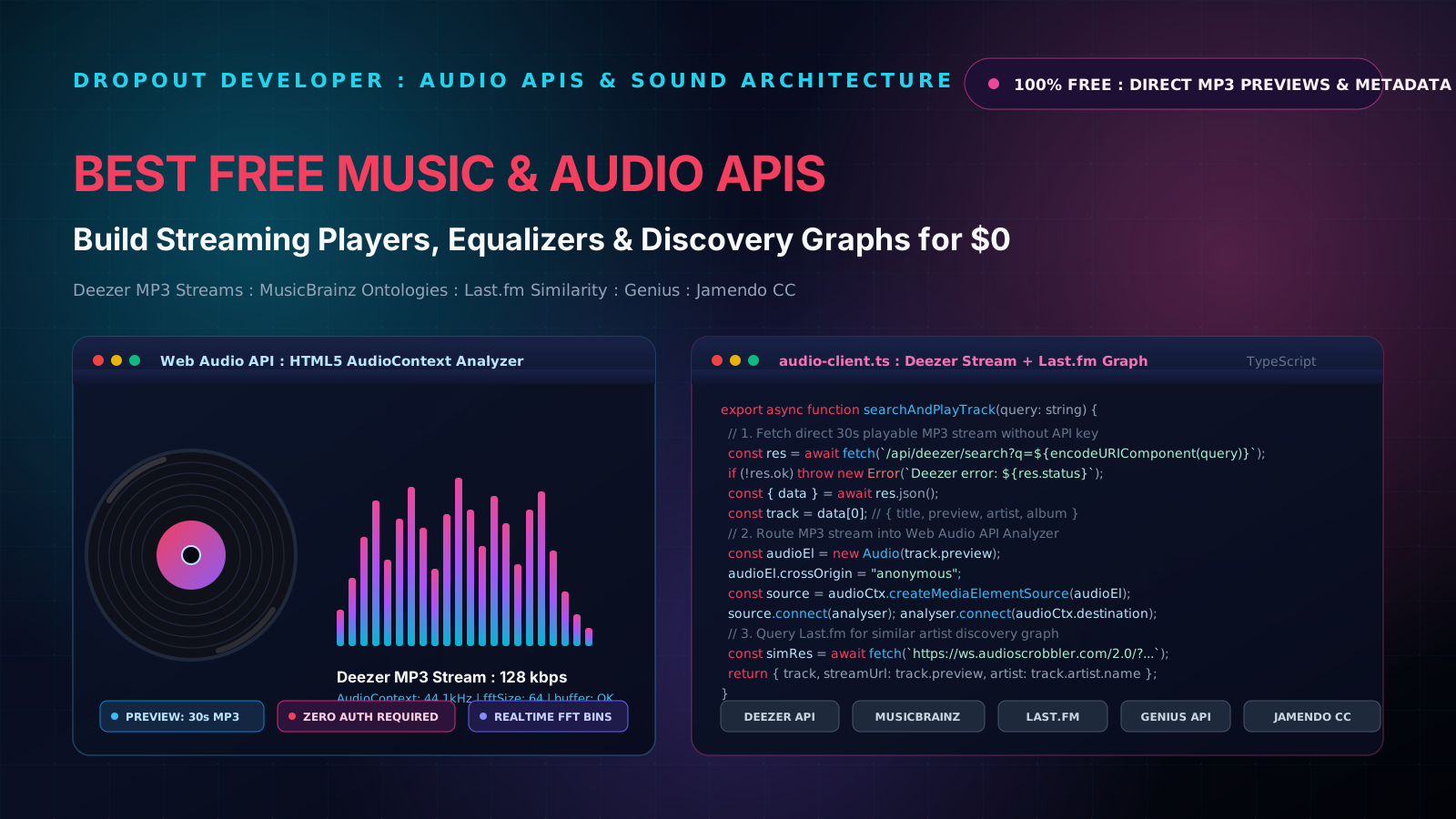
- Streaming Layer (Deezer): When the user searches for any song or artist, your frontend queries the Deezer search endpoint. It extracts the track title, artist name, high-resolution album cover, and the direct 30-second MP3 preview stream URL.
- Audio Synthesis & Analysis Layer (HTML5 Web Audio API): The MP3 stream is attached to an HTML5
<audio>element configured withcrossOrigin = "anonymous". This element is passed into anAudioContextviacreateMediaElementSource(), routed through anAnalyserNode, and then connected to the browser speakers (audioCtx.destination). TheAnalyserNodeextracts real-time Fast Fourier Transform (FFT) frequency bins, which are rendered at 60 FPS onto an HTML5<canvas>element. - Discovery Graph Layer (Last.fm): As soon as a track begins playing, the player takes the artist name and fires a background query to Last.fm's
artist.getSimilarendpoint. This populates a dynamic "Similar Artists" discovery carousel with normalized match percentages, allowing the user to click any related artist to discover their top preview tracks.
Handling Browser Audio Context Lifecycle
Modern browsers block audio playback and AudioContext initialization until the user performs an explicit interaction (like clicking a play button). If you attempt to instantiate or play audio on initial page load, Chrome and Safari will throw an error: The AudioContext was not allowed to start. It must be resumed (or created) after a user gesture on the page.
Our implementation safely handles this by checking audioCtx.state === 'suspended' and invoking audioCtx.resume() strictly within the user's click handler.
Production TypeScript Implementation: Complete Runnable Music Engine
Here is a complete, modular TypeScript implementation that you can copy, paste, and run in your own application. It handles track searching, audio playback with Web Audio frequency analysis, and related artist recommendations with rigorous error handling and abort signals.
/**
 * SoundScape Production Audio Engine
 * Combines Deezer MP3 Previews, Web Audio API Analyzer, and Last.fm Recommendations
 */

export interface DeezerTrack {
  id: number;
  title: string;
  duration: number;
  preview: string; // Direct 30s MP3 URL
  artist: {
    id: number;
    name: string;
    picture_medium: string;
  };
  album: {
    id: number;
    title: string;
    cover_xl: string;
  };
}

export interface SimilarArtist {
  name: string;
  matchScore: number;
  url: string;
}

export interface PlayerState {
  currentTrack: DeezerTrack | null;
  isPlaying: boolean;
  currentTime: number;
  duration: number;
  volume: number;
}

/**
 * 1. Search Deezer tracks using a lightweight proxy or serverless function
 * Handles network abort signals, response validation, and status code checks
 */
export async function searchTracks(
  query: string,
  proxyUrl = '/api/deezer',
  signal?: AbortSignal
): Promise<DeezerTrack[]> {
  const trimmed = query.trim();
  if (!trimmed) return [];

  const targetUrl = `${proxyUrl}?q=${encodeURIComponent(trimmed)}`;

  try {
    const res = await fetch(targetUrl, { signal });

    if (!res.ok) {
      throw new Error(`Deezer API returned HTTP status ${res.status}`);
    }

    const payload = await res.json();
    if (!payload.data || !Array.isArray(payload.data)) {
      return [];
    }

    return payload.data.map((item: any) => ({
      id: item.id,
      title: item.title,
      duration: item.duration,
      preview: item.preview,
      artist: {
        id: item.artist?.id || 0,
        name: item.artist?.name || 'Unknown Artist',
        picture_medium: item.artist?.picture_medium || '',
      },
      album: {
        id: item.album?.id || 0,
        title: item.album?.title || 'Unknown Album',
        cover_xl: item.album?.cover_xl || item.album?.cover_medium || '',
      },
    }));
  } catch (err: any) {
    if (err.name === 'AbortError') {
      return [];
    }
    console.error('Failed to search Deezer tracks:', err);
    throw err;
  }
}

/**
 * 2. Fetch similar artists from Last.fm
 */
export async function fetchSimilarArtists(
  artistName: string,
  lastFmApiKey: string,
  limit = 5
): Promise<SimilarArtist[]> {
  if (!artistName || !lastFmApiKey) return [];

  const endpoint = `https://ws.audioscrobbler.com/2.0/?method=artist.getsimilar&artist=${encodeURIComponent(
    artistName
  )}&api_key=${lastFmApiKey}&format=json&limit=${limit}`;

  try {
    const res = await fetch(endpoint);
    if (!res.ok) {
      throw new Error(`Last.fm API returned HTTP status ${res.status}`);
    }

    const data = await res.json();
    const artistList = data?.similarartists?.artist;

    if (!Array.isArray(artistList)) return [];

    return artistList.map((a: any) => ({
      name: a.name,
      matchScore: parseFloat(a.match) || 0,
      url: a.url,
    }));
  } catch (err) {
    console.warn('Could not fetch similar artists:', err);
    return [];
  }
}

/**
 * 3. SoundScape Audio & Visualizer Controller
 * Manages HTML5 Audio element, AudioContext, AnalyserNode, and Canvas rendering
 */
export class SoundScapePlayer {
  private audio: HTMLAudioElement;
  private audioCtx: AudioContext | null = null;
  private analyser: AnalyserNode | null = null;
  private sourceNode: MediaElementAudioSourceNode | null = null;
  private animFrameId: number | null = null;
  private canvas: HTMLCanvasElement | null = null;

  public state: PlayerState = {
    currentTrack: null,
    isPlaying: false,
    currentTime: 0,
    duration: 30, // Deezer previews are standard 30 seconds
    volume: 0.8,
  };

  private onStateChange?: (state: PlayerState) => void;

  constructor(callbacks?: { onStateChange?: (state: PlayerState) => void }) {
    this.onStateChange = callbacks?.onStateChange;

    // Create native audio element with crossOrigin set for Web Audio routing
    this.audio = new Audio();
    this.audio.crossOrigin = 'anonymous';
    this.audio.volume = this.state.volume;

    this.setupAudioListeners();
  }

  private setupAudioListeners() {
    this.audio.addEventListener('timeupdate', () => {
      this.state.currentTime = this.audio.currentTime;
      this.state.duration = this.audio.duration || 30;
      this.emitState();
    });

    this.audio.addEventListener('ended', () => {
      this.state.isPlaying = false;
      this.state.currentTime = 0;
      this.emitState();
    });

    this.audio.addEventListener('error', (e) => {
      console.error('Audio playback error encountered:', e);
      this.state.isPlaying = false;
      this.emitState();
    });
  }

  private emitState() {
    if (this.onStateChange) {
      this.onStateChange({ ...this.state });
    }
  }

  /**
   * Lazily initialize Web Audio API on first user interaction
   */
  private initAudioPipeline() {
    if (!this.audioCtx) {
      const AudioContextClass = window.AudioContext || (window as any).webkitAudioContext;
      this.audioCtx = new AudioContextClass();

      this.analyser = this.audioCtx.createAnalyser();
      this.analyser.fftSize = 64; // Yields 32 frequency bins, ideal for spectrum bars

      this.sourceNode = this.audioCtx.createMediaElementSource(this.audio);
      this.sourceNode.connect(this.analyser);
      this.analyser.connect(this.audioCtx.destination);
    }

    if (this.audioCtx.state === 'suspended') {
      this.audioCtx.resume();
    }
  }

  /**
   * Play a track from Deezer
   */
  public async playTrack(track: DeezerTrack) {
    this.initAudioPipeline();

    if (this.state.currentTrack?.id !== track.id) {
      this.state.currentTrack = track;
      this.audio.src = track.preview;
    }

    try {
      await this.audio.play();
      this.state.isPlaying = true;
      this.emitState();
      this.startVisualizer();
    } catch (err) {
      console.error('Playback failed to start:', err);
      this.state.isPlaying = false;
      this.emitState();
    }
  }

  public pause() {
    this.audio.pause();
    this.state.isPlaying = false;
    this.emitState();
    this.stopVisualizer();
  }

  public togglePlay() {
    if (this.state.isPlaying) {
      this.pause();
    } else if (this.state.currentTrack) {
      this.playTrack(this.state.currentTrack);
    }
  }

  public seek(seconds: number) {
    this.audio.currentTime = Math.max(0, Math.min(seconds, this.audio.duration || 30));
    this.state.currentTime = this.audio.currentTime;
    this.emitState();
  }

  public setVolume(val: number) {
    const clamped = Math.max(0, Math.min(1, val));
    this.audio.volume = clamped;
    this.state.volume = clamped;
    this.emitState();
  }

  /**
   * Attach visualizer to an HTML5 canvas element
   */
  public attachCanvas(canvas: HTMLCanvasElement) {
    this.canvas = canvas;
  }

  /**
   * Real-time 60 FPS frequency equalizer rendering loop
   */
  private startVisualizer() {
    if (!this.analyser || !this.canvas) return;

    const ctx = this.canvas.getContext('2d');
    if (!ctx) return;

    const bufferLength = this.analyser.frequencyBinCount;
    const dataArray = new Uint8Array(bufferLength);

    const renderFrame = () => {
      if (!this.state.isPlaying) return;

      this.animFrameId = requestAnimationFrame(renderFrame);
      this.analyser!.getByteFrequencyData(dataArray);

      const width = this.canvas!.width;
      const height = this.canvas!.height;

      ctx.clearRect(0, 0, width, height);

      const barWidth = (width / bufferLength) * 1.5;
      let x = 0;

      for (let i = 0; i < bufferLength; i++) {
        const barHeight = (dataArray[i] / 255) * height;

        // Dynamic Neon Gradient: Cyan to Hot Pink
        const gradient = ctx.createLinearGradient(0, height, 0, height - barHeight);
        gradient.addColorStop(0, '#06b6d4');
        gradient.addColorStop(0.5, '#a855f7');
        gradient.addColorStop(1, '#ec4899');

        ctx.fillStyle = gradient;
        ctx.fillRect(x, height - barHeight, barWidth - 3, barHeight);

        x += barWidth;
      }
    };

    renderFrame();
  }

  private stopVisualizer() {
    if (this.animFrameId !== null) {
      cancelAnimationFrame(this.animFrameId);
      this.animFrameId = null;
    }
  }

  public destroy() {
    this.pause();
    this.audio.src = '';
    if (this.audioCtx) {
      this.audioCtx.close();
      this.audioCtx = null;
    }
  }
}
The Minimal Serverless Proxy for Deezer (Vite / Next.js)
To bypass browser CORS restrictions during development and in production, here is a clean, 10-line serverless handler for Next.js App Router (app/api/deezer/route.ts):
import { NextRequest, NextResponse } from 'next/server';

export async function GET(request: NextRequest) {
  const query = request.nextUrl.searchParams.get('q');
  if (!query) {
    return NextResponse.json({ error: 'Query parameter "q" is required' }, { status: 400 });
  }

  try {
    const res = await fetch(`https://api.deezer.com/search?q=${encodeURIComponent(query)}`, {
      headers: { 'Accept': 'application/json' },
      next: { revalidate: 3600 }, // Cache search queries for 1 hour
    });

    if (!res.ok) {
      return NextResponse.json({ error: 'Upstream Deezer error' }, { status: res.status });
    }

    const data = await res.json();
    return NextResponse.json(data);
  } catch (err: any) {
    return NextResponse.json({ error: 'Failed to proxy Deezer request' }, { status: 500 });
  }
}
Why This Project Outshines 90% of Resumes in Technical Interviews
If you ask engineering managers what makes them reject a frontend candidate's GitHub portfolio, you will hear the exact same answer: "Every applicant shows me a static todo app or a clone that just displays hardcoded JSON."
When you present SoundScape, the conversation shifts immediately. Instead of talking about basic HTML forms, you can explain real production engineering challenges:
- Browser Audio Pipelines: You understand how the browser's
AudioContextoperates, how to manage audio node connections, and how to analyze frequency data in real time using Fast Fourier Transforms. - CORS and Edge Proxying: You can explain why client-side requests to third-party CDNs need proxying or JSONP callbacks, demonstrating practical knowledge of web security boundaries.
- State Synchronization: You coordinated asynchronous stream loading, canvas 60 FPS animation loops, audio timeline scrubbers, and background recommendation graphs without triggering memory leaks or audio stuttering.
Stop wasting your time building generic clones with broken OAuth login gates. If you want to elevate your portfolio, stop building basic todo apps and start working with real data: read our manifesto on why you should stop building todo apps and use free public APIs.
Grab the Deezer and Last.fm endpoints, wire up your AudioContext, deploy your player to Vercel, and let your code speak for itself.