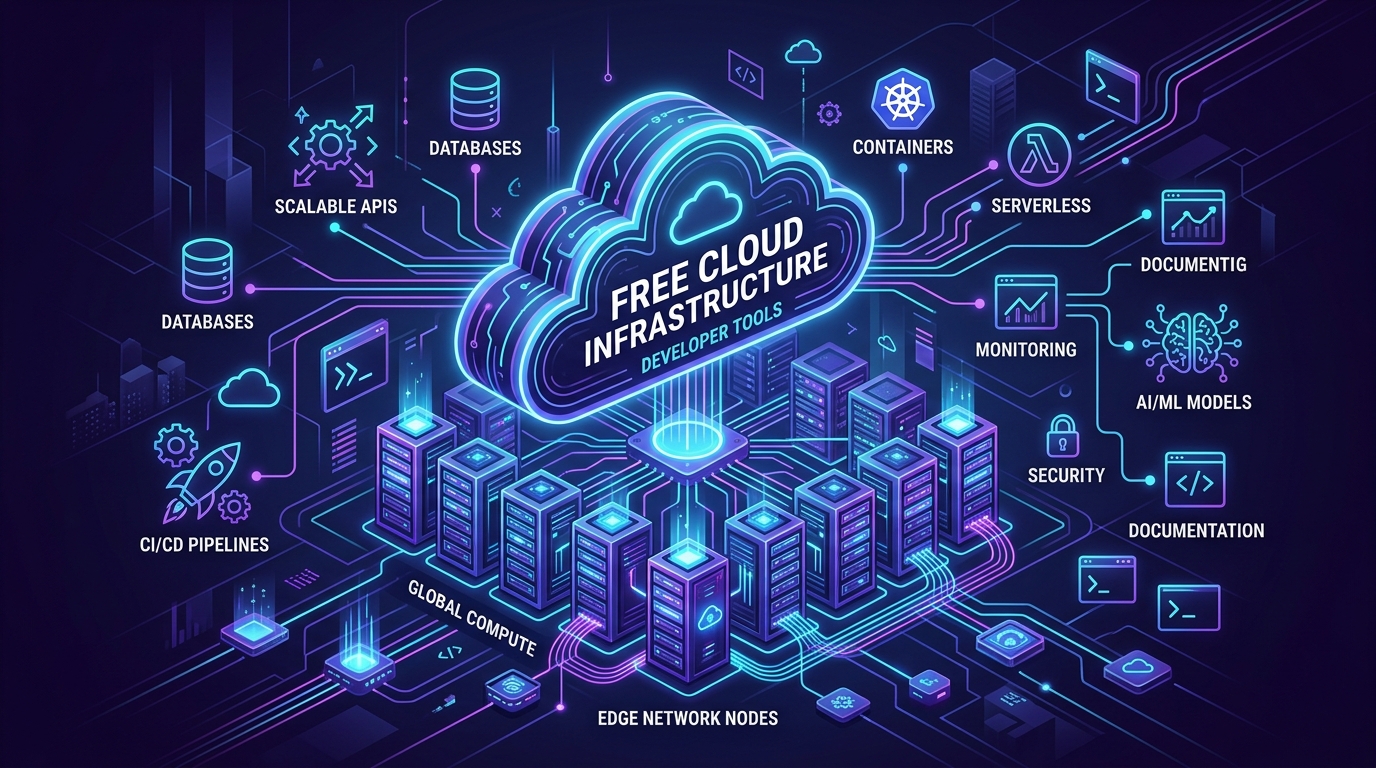
How I Host Production Projects for Zero Rupees
When I was self-learning to code from my small room in India, I had zero money in my bank account. I was borrowing money from my parents just to pay monthly rent and buy groceries. My 8GB RAM laptop would freeze the moment I opened Docker alongside Chrome. On top of that, the idea of typing my debit card into AWS terrified me. Every YouTube tutorial casually said to spin up an EC2 instance and an RDS database. Nobody warned you that one wrong checkbox or a forgotten test volume could give you an unexpected ₹8,000 bill at the end of the month.
That fear kept me stuck for weeks.
Here is the truth: you do not need to spend money to deploy real software. Over the past few years, the cloud ecosystem matured with genuine Always-Free tiers. These are not 14-day trials that kick you off right when you show your project to recruiters. If you configure them properly, your monthly bill is literally ₹0.
I also turned this entire guide, along with our verified limits and full-stack recipes, into a public open-source project on GitHub: dropout-developer/free-developer-resources-compute-db. If you want raw JSON data or want to add a verified free tier, star the repository and join in.
You can also use our free browser utilities like the Online JSON Formatter and our Free Developer Tools to inspect and test API payloads locally. Here is my complete, battle-tested breakdown of services that actually work without billing surprises.
1. Compute and Containers: Your Backend Workhorses
Your backend API and background workers need steady compute. You do not want a trial that expires after a month. These platforms give you permanent compute:
- Oracle Cloud Infrastructure (OCI) Always Free: People often ignore Oracle, but their Always Free tier is unmatched in the industry. They give you up to 4 ARM Ampere A1 OCPUs and 24 GB of RAM, along with 200 GB of persistent disk storage and 10 TB of monthly network transfer. That is more RAM than most laptops in tier-3 colleges. You can run ten Docker containers, a Redis cache, and background queue workers on it easily. Tip: After account verification, upgrade to Pay-As-You-Go. As long as you stay within the Always-Free limits, you pay ₹0, but Oracle will not reclaim your idle instances.
- Google Cloud Run: If you hate managing Linux packages and SSH keys, Cloud Run is the cleanest solution. You get 2 million free requests every month, along with 180,000 vCPU-seconds and 360,000 GiB-seconds of memory. You package your code (Node.js, Python FastAPI, Go) into a Docker container, push it, and Google runs it. When nobody is using your app, it scales straight down to zero. That means zero wasted compute and zero cost.
- Google Compute Engine (GCE) e2-micro: Google gives you one free e2-micro virtual machine with 1 GB of RAM and 30 GB of standard persistent disk in US regions like us-central1 or us-east1. Stick to standard standard HDD disks because SSD options charge you. It works great as a small worker for cron jobs or uptime monitoring.
- Koyeb (Hobby Tier): Need to deploy a Docker container quickly without credit cards? Koyeb gives you 1 free web service with 512 MB of RAM, 0.1 vCPU, 2 GB SSD, and 100 GB of monthly bandwidth. It automatically pauses when there is no traffic, protecting your quota.
2. Frontend Hosting: Keep Static Traffic Off Your Server
One common beginner mistake is serving static Angular or React files directly from your backend Node or Python server. That wastes precious CPU cycles your API needs for database queries.
Put your frontend on a dedicated edge network instead:
- Cloudflare Pages: This is my default recommendation for every single project. You get unlimited bandwidth and unlimited requests. Connect your GitHub repository, push your commits, and Cloudflare builds your Angular, React, or Vue app across 300 data centers worldwide. You get automated SSL certificates, custom domain routing, and 500 free builds every month. You can also connect Cloudflare Workers for edge serverless logic.
- Vercel and Netlify: Both give you 100 GB of free bandwidth per month. They are built for modern frontend frameworks and provide instant preview links for every git branch you create.
3. Managed Databases: Stop Installing Databases on Your VM
Please do not install PostgreSQL or MySQL directly inside a self-managed virtual machine for your side projects. When your server runs out of memory, the database crashes, your data gets corrupted, and you lose days of work.
Use managed serverless databases instead:
- Supabase: You get 2 free PostgreSQL databases with 500 MB of storage and built-in user authentication for up to 50,000 monthly active users. Keep this in mind: Supabase pauses free projects if they receive no queries for 7 days. Your data is never deleted, and you can restore it from your dashboard with one click. If you need it active around the clock, set up a simple cron ping.
- Neon Serverless Postgres: Neon is built on serverless storage. You get 0.5 GB of storage and 100 Compute Unit hours per month. Neon lets you branch your database like a git branch. You can test risky schema migrations on an isolated copy in two seconds without touching production data. It also goes to sleep after 5 minutes of idle time to protect your quota.
- Turso (libSQL): Built on SQLite, Turso provides 5 GB of storage, up to 100 databases, and 500 million row reads per month on its free plan. You do not even need to enter a credit card to get started.
- MongoDB Atlas (M0 Cluster): If your project uses JSON documents and Mongoose, MongoDB Atlas gives you a permanent 512 MB free tier on a 3-node replica set. No credit card is required, and it supports modern MongoDB 8.0 drivers.
- Upstash Redis: For session storage and rate limiting, Upstash gives you 500,000 free commands each month and 256 MB of in-memory data. Use it to block spam requests before they hit your main database.
4. Media and File Storage: How to Avoid Outbound Bandwidth Bills
Traditional storage like Amazon S3 charges you for egress bandwidth. Storing files costs pennies, but if your images or files get downloaded by thousands of users, the bandwidth bill will shock you.
Zero-egress storage solves this completely:
- Cloudflare R2: You get 10 GB of S3-compatible storage per month with zero egress fees. It includes 10 million Class B read requests and 1 million Class A write requests every month at no cost. You never pay for outbound data transfer.
- Backblaze B2: Gives you 10 GB of free persistent storage. When paired with Cloudflare through their Bandwidth Alliance, downloading files from your bucket is free.
5. Authentication: Do Not Build Auth from Scratch
Early in my learning journey, I spent three weeks writing my own authentication system with JWT tokens, password reset emails, and bcrypt hashing. It was full of security bugs.
Save your time and use proven identity tools:
- Clerk: Gives you 10,000 monthly active users on their free tier. You get drop-in login screens, Google login, GitHub login, and two-factor authentication ready in twenty minutes. Clerk also has a First Day Free policy, so people who visit once and bounce do not count against your limit.
- Supabase Auth: Plugs directly into your PostgreSQL database with row-level security. It supports magic links, phone OTP, and social logins for up to 50,000 users.
- Kinde: Perfect for B2B side projects. You get 10,500 Monthly Active Users and support for up to 5 multi-tenant organizations with role-based access control without entering a credit card.
6. Transactional Email: Sending OTPs and Alerts for Zero Rupees
Every real app needs to send user verification emails or password resets. Using your personal Gmail via SMTP will quickly get your account blocked by Google for spam.
Use developer email APIs instead:
- Resend: Gives you 3,000 free emails per month with a daily cap of 100 emails. It supports up to 3 custom verified domains and lets you write email templates using modern React Email components. No credit card is needed.
- Brevo (formerly Sendinblue): Gives you 300 free emails every day (approximately 9,000 per month) with unlimited contacts. Free plan emails include a small Brevo badge in the footer.
7. Vector Databases for AI and RAG Projects
If you are building AI agents, document question-answering systems, or semantic search, you need a vector database to store text embeddings:
- Qdrant Cloud: You get 1 free cluster with 1 GB of RAM, 0.5 vCPU, and 4 GB of SSD storage. That is enough to store and query approximately 1,000,000 vector embeddings. No credit card is required. Note: Inactive clusters pause after 7 days, but you can wake them up from your dashboard.
- Pinecone Serverless: The Starter plan gives you 2 GB of vector storage, 2 million write units, and 1 million read units per month across up to 5 serverless indexes in AWS us-east-1.
8. Local Ingress and Webhook Testing
When you are integrating payment gateways like Stripe or third-party webhooks, you need external services to talk to your local computer:
- Cloudflare Tunnel (cloudflared): Completely free with unlimited bandwidth. It lets you expose local ports or private Docker containers to your custom domain with automatic SSL without touching router firewall settings.
- smee.io: A free webhook relay maintained by GitHub that forwards incoming payloads directly to your local development terminal.
- Algolia (Build Plan): For instant autocomplete and search bars, Algolia gives you 10,000 search requests per month and 50,000 records on its free tier.
Summary Comparison of Verified Free Tiers
| Provider | Service Category | Verified Free Allowance | Card Required? | Ideal Role in Your Stack |
|---|---|---|---|---|
| Oracle Cloud | Virtual Machines & Compute | 4 ARM OCPUs, 24 GB RAM, 200 GB Disk, 10 TB Egress | Yes | Heavy backend APIs, Docker daemons, background workers |
| Google Cloud Run | Serverless Containers | 2M requests/mo, 180k vCPU-sec, 360k GiB-sec | Yes | Autoscaling microservices and on-demand APIs |
| Cloudflare Pages | Edge Hosting & CDN | Unlimited bandwidth and requests, 500 builds/mo | No | Angular, React, Vue, and static asset distribution |
| Supabase | Managed PostgreSQL | 2 projects, 500 MB DB, 1 GB storage, 50k MAUs | No | Relational application data, Auth, and Realtime |
| Neon | Serverless PostgreSQL | 0.5 GB storage, 100 CU-hours, 10 branches | No | Instant staging branches and auto-scaling SQL |
| MongoDB Atlas | NoSQL Document Store | 512 MB storage, shared RAM, 3-node replica set | No | Flexible JSON document backends and Mongoose apps |
| Turso | Distributed SQLite (libSQL) | 5 GB storage, 100 DBs, 500M rows read | No | Global edge data, multi-tenant app databases |
| Cloudflare R2 | Object Storage (S3-compatible) | 10 GB storage, 10M read / 1M write ops, zero egress | Yes | User uploads, profile pictures, media catalogs |
| Upstash | Serverless Redis | 500,000 commands/mo, 256 MB storage | No | Rate limiting, session caching, and token storage |
| Clerk | Authentication & Identity | 10,000 monthly active users | No | Modern user authentication with drop-in UI |
| Resend | Transactional Email | 3,000 emails/mo, 100/day cap, 3 domains | No | Signup OTPs, auth magic links, notification emails |
| Qdrant Cloud | Vector Database | 1 GB RAM, 0.5 vCPU, 4 GB SSD, ~1M vectors | No | RAG retrieval and AI agent memory store |
| Cloudflare Tunnel | Tunneling & Ingress | 1,000 tunnels, unlimited bandwidth, zero open ports | No | Secure webhook ingress, exposing localhost safely |
The Setup: How I Put It All Together
Here are the two architectures I use in production to keep cloud bills at zero:
Recipe 1: The Modern Full-Stack Web App
- DNS and Protection: Point your domain nameservers to Cloudflare DNS. You get free DDoS protection and automatic SSL certificates.
- Frontend App: Deploy your user interface to Cloudflare Pages. Your site updates automatically every time you push code to GitHub.
- Backend API: Run your Node, Go, or Python API inside a Docker container on Google Cloud Run or Oracle Cloud.
- Database & Auth: Connect your API to Supabase or Neon for SQL data, and use Clerk for auth.
- Email: Send user verification emails via Resend.
- File Uploads: Generate presigned upload links and send files directly to Cloudflare R2. Your server never deals with upload bottlenecks.
- Cache: Put Upstash Redis in front of repetitive database queries to keep response times fast.
Recipe 2: The Free AI Agent and RAG Stack
- Chat Interface: Build a clean frontend on Cloudflare Pages.
- Agent API: Run FastAPI with LangChain or LlamaIndex inside a container on Google Cloud Run.
- Vector Memory: Connect to Qdrant Cloud or Pinecone to store document embeddings.
- Session Storage: Use Upstash Redis for agent short-term memory and rate limits.
My Personal Checklist to Keep Your Bill at Zero
These tiers are genuinely free, but you still need good developer discipline:
- Set Hard Budget Alerts: Always set a $0 budget alert in Google Cloud and Oracle Cloud right after creating your account. You will get an email notification the moment anything unexpected happens.
- Never Store Media on Server Disks: Keep your virtual machine disk clean. Send images, PDFs, and user uploads directly to Cloudflare R2.
- Watch Database Pauses: If you use Supabase, remember that inactive free databases pause after 7 days. Set up a free 5-minute ping using cron-job.org to keep it awake.
- Clean Up Docker Images: Run a weekly cron job with
docker system prune -fon your server so old container images do not fill your disk. - Format JSON in the Browser: Before sending test payloads to your endpoints, test them in our free Online JSON Formatter.
- Estimate AI Prompt Costs: If you are integrating LLM APIs, use our LLM Token Counter to test your token usage before running batch requests.
You do not need to pay ₹1.5 lakh to private coaching centers to learn real software engineering. The official documentation and these free tools are all you need to build proof of work. If you want structured roadmaps, explore our free Dropout Developer Learn platform, test your skills on our Dropout Developer AI Workspace, and check out our free AI Engineer Roadmap. Pick a project idea, set up these free services tonight, and start building.